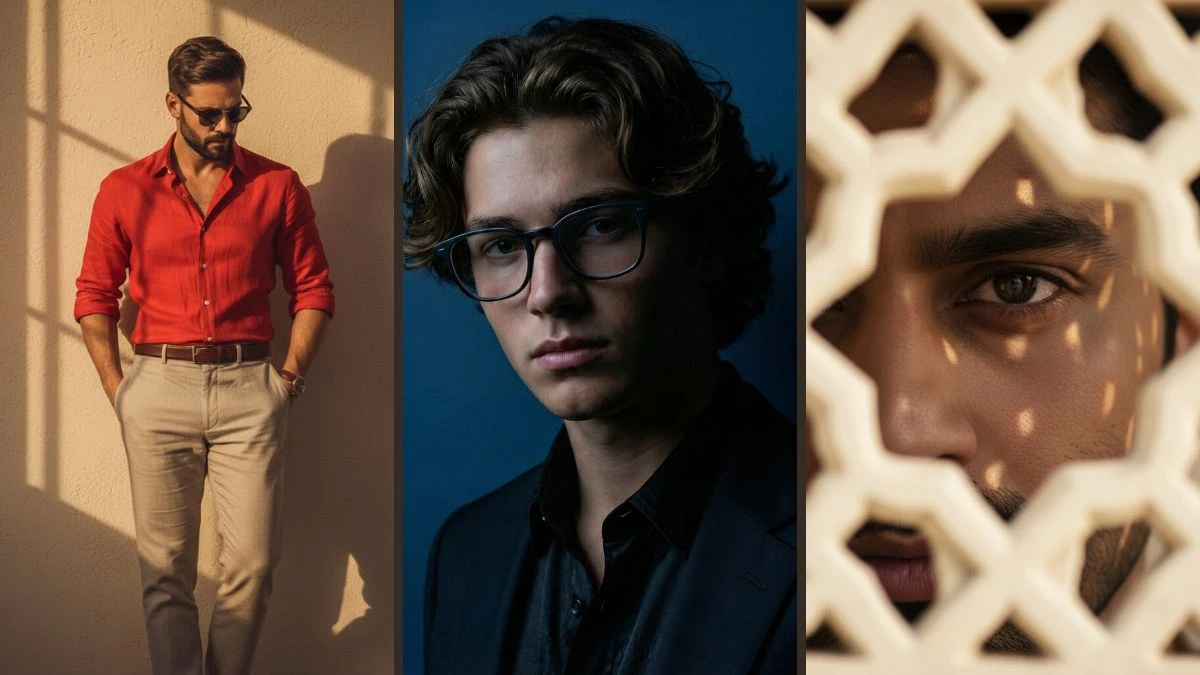
10 Trending Google Gemini AI Photo Editing Prompts for Boys to Create Viral Professional-Quality Portraits
Unlock 10 trending Google Gemini AI prompts to create viral, professional-quality portraits for boys. Enhance your photo editing skills and produce stunning, share-worthy images effortlessly.
10 Trending Google Gemini AI Photo Editing Prompts for Boys
In the world of AI-powered creativity, Google Gemini has emerged as a game-changer for photo editing and image generation. With its advanced capabilities, Gemini allows users to create stunning, professional-quality portraits that can go viral on social media. Whether you're aiming for a sleek, polished look or an artistic, dynamic portrait, Google Gemini offers the tools to turn your ideas into reality. In this guide, we will explore 10 trending photo editing prompts for boys, perfect for generating eye-catching portraits that stand out.
Join This Channel for Trending AI Image Prompts - CLICK HERE
Prompt 1:
Use This:
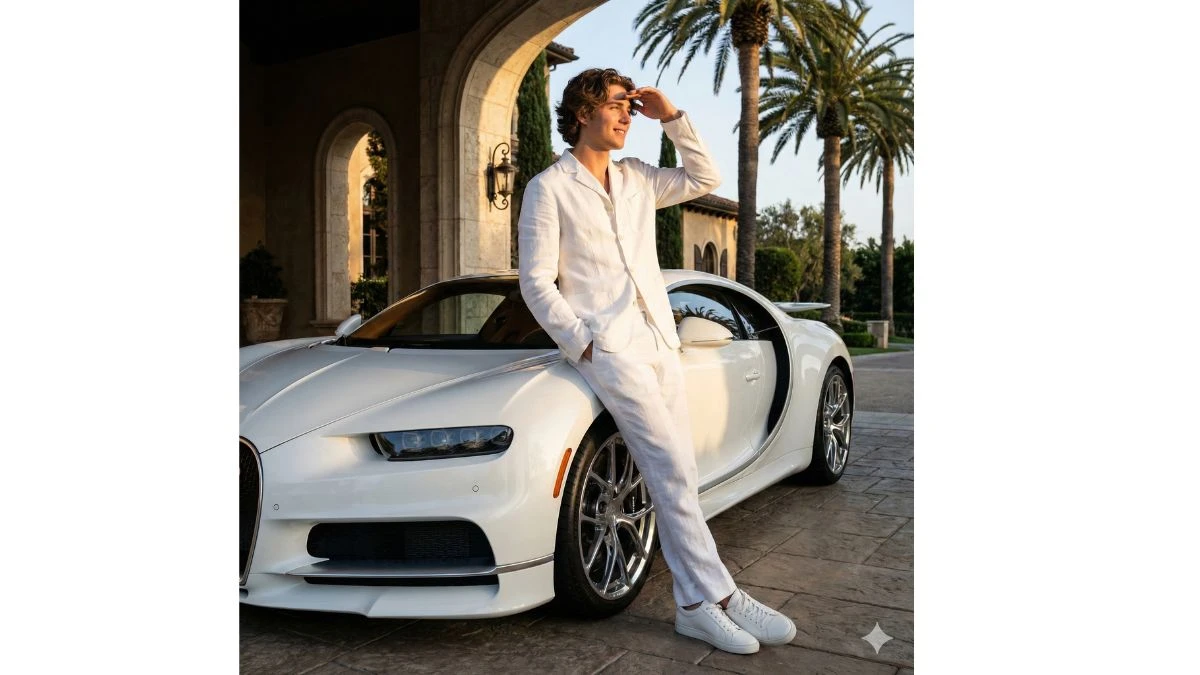
A full-body shot of a young man with wavy brown shade hair with wavy hair leaning against a white Bugatti, parked outside a grand, arched entranceway that hints at luxuri- ous architecture. He is dressed in an all-white or light-colored outfit, including a jacket, trousers, and sneakers. Hisposture is relaxed,shading his eyes as he looks off to the side. The scene is bathed in warm, bright sunlight, with tall palm trees framing the background, suggesting an exotic or upscale location. Keep the faces exactly the same as the uploaded photos for originality.
Image Credit: Gemini AI
Prompt 2:
Use This:
Photorealistic editorial-style portrait of a stylish man in his late 20s with a well-groomed beard (100% likeness from user's photo). He sits in a wicker armchair, legs crossed, holding an open newspaper while gazing thought-fully to his right with a cool, confident expression. Dressed in a light linen shirt (unbuttoned at top), dark grey tailored trousers, and brown loafers. Accessories: white fedora, dark sunglasses, brown leather.
Image Credit: Gemini AI
Prompt 3:
Use This:
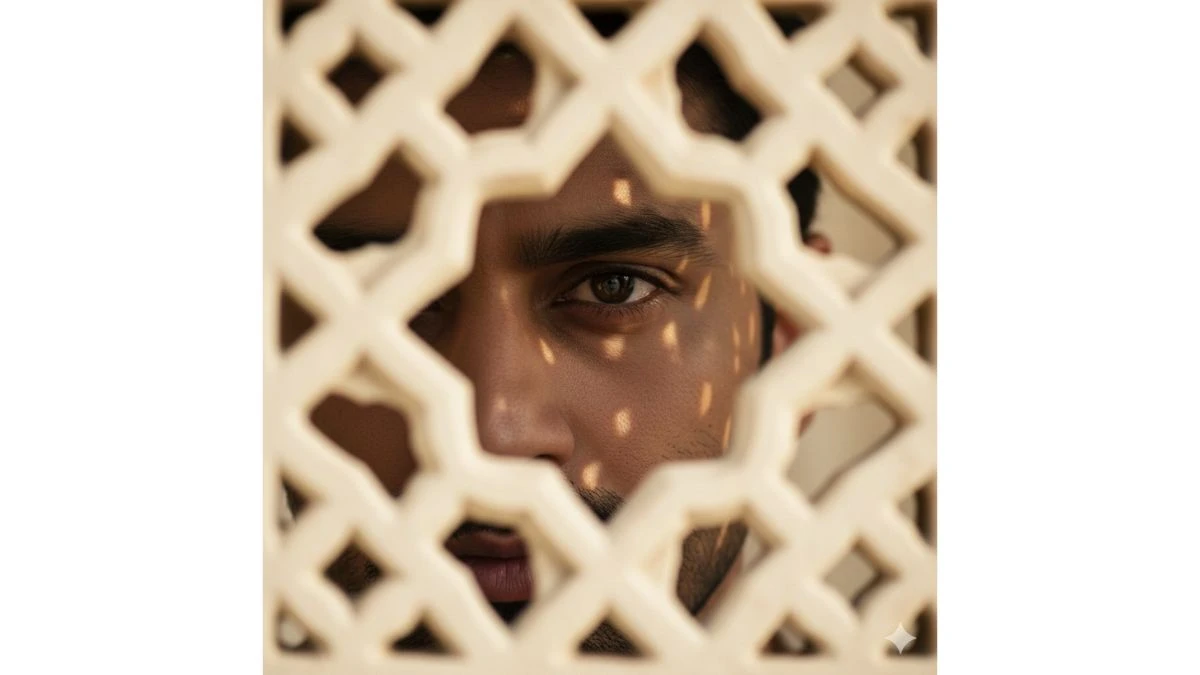
use uploaded photo uploaded person's face - preserve exact real identity, hairstyle, and skin tone, no changes) same face Ultra-realistic cinematic close-up of a South Indian man eye captured through an ornate cream-colored sandstone latticework jharokha. Only her right eye is fully visible through the patterned cutout, while the rest of her face remains artistically obscured by the blurred jali in the foreground. his gaze is deep, focused, and slightly myste- rious, with soft natural light casting patterned shadows across her skin from the jali
Image Credit: Gemini AI
Prompt 4:
Use This:
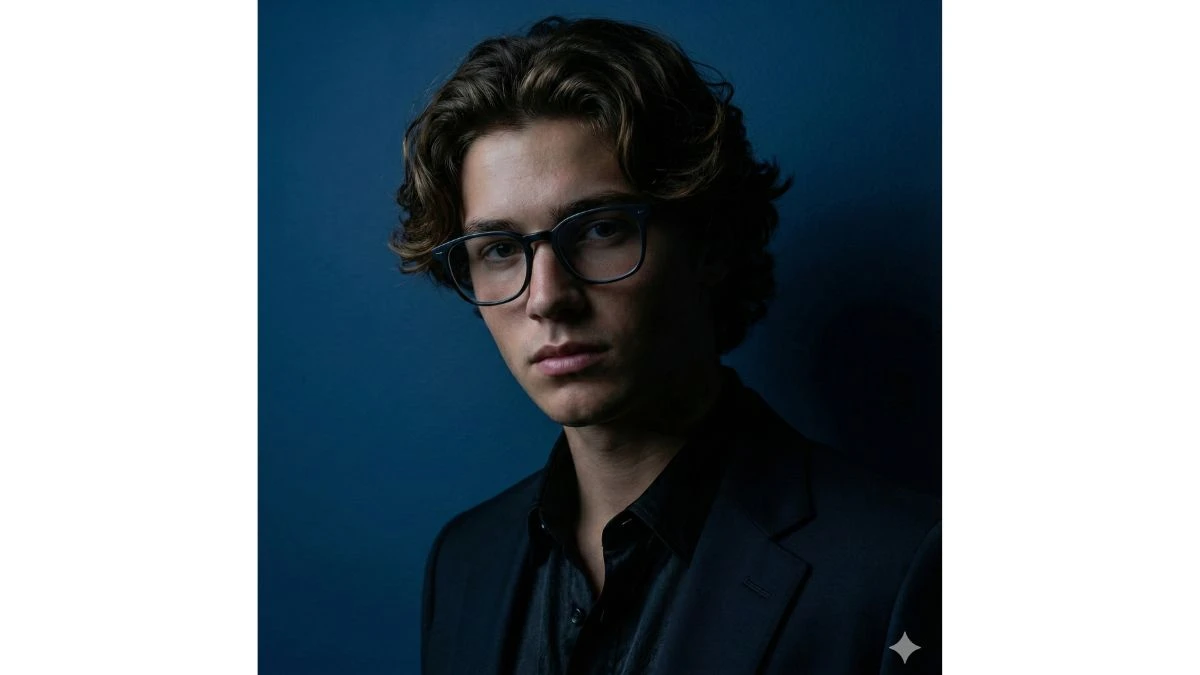
A hyper realistic Portrait of uploaded person( preserve face 100%) wearing high-end fashion OUTFIT, the back- ground is blue, the clothing is minimal, hyper realistic scene, the guy is just slightly visible due to dark shadows, and he is wearing modern fashion frames.
Image Credit: Gemini AI
Prompt 5:
Use This:
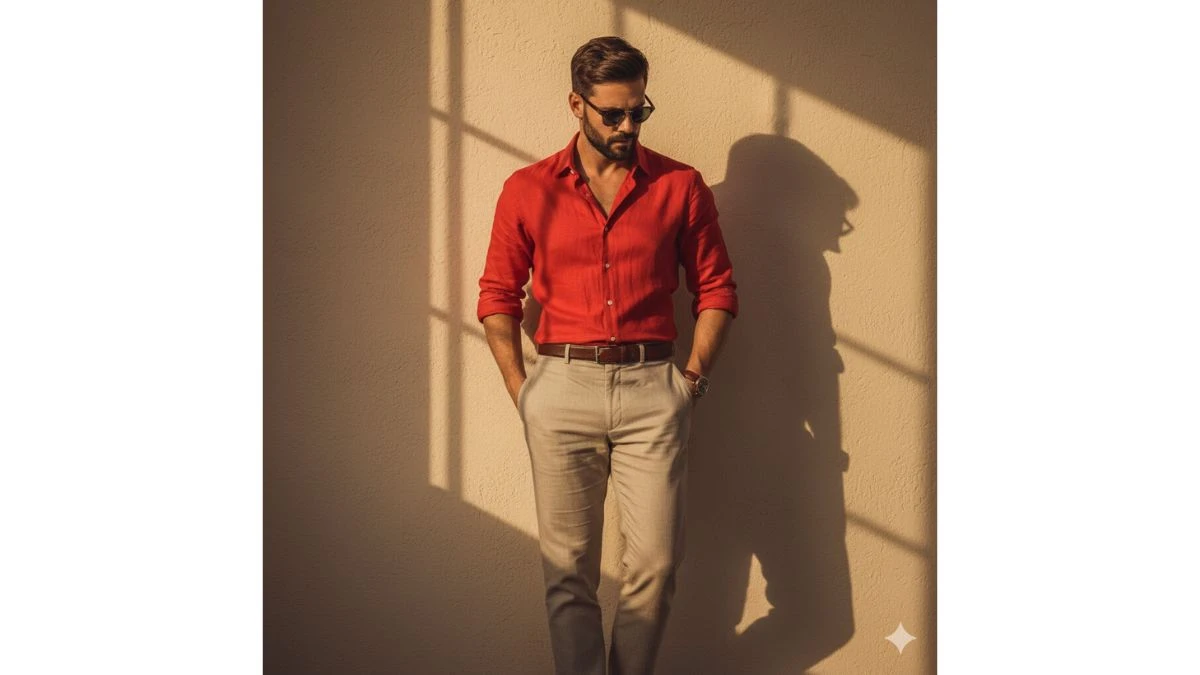
A man standing against a warm beige wall, dressed in a relaxed yet elegant outfit: an red linen shirt with rolled-up sleeves and slightly unbuttoned collar, tucked into high-waisted beige trousers with a belt. The lighting is soft and golden, casting dramatic shadows across the wall for a cinematic effect. His pose is calm and intro- spective, with one hand in his pocket and head slightly tilted down, giving a thoughtful and stylish atmosphere (use same exact face as uploaded selfie)
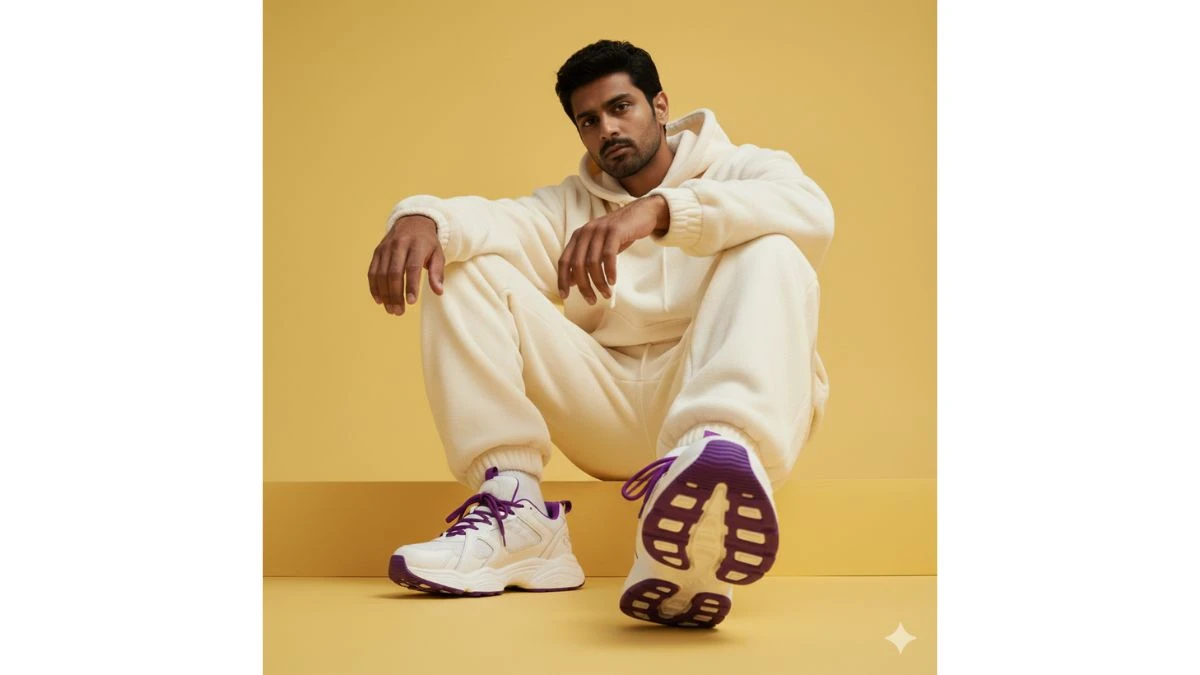
Hyper-realistic urban fashion portrait of a young man sit-ting in a stylized pose, with a low angle emphasizing his sneakers. He wears an oversized light-toned athletic outfit, featuring a hoodie and a voluminous plush jacket. The sneakers have a modern design, white with vibrant purple details, creating a striking contrast against a vivid Butter Yellow (#F6D860) background. The setting is minimalist, with a solid yellow backdrop that highlights the figure and creates.
Image Credit: Gemini AI
Prompt 7:
Use This:
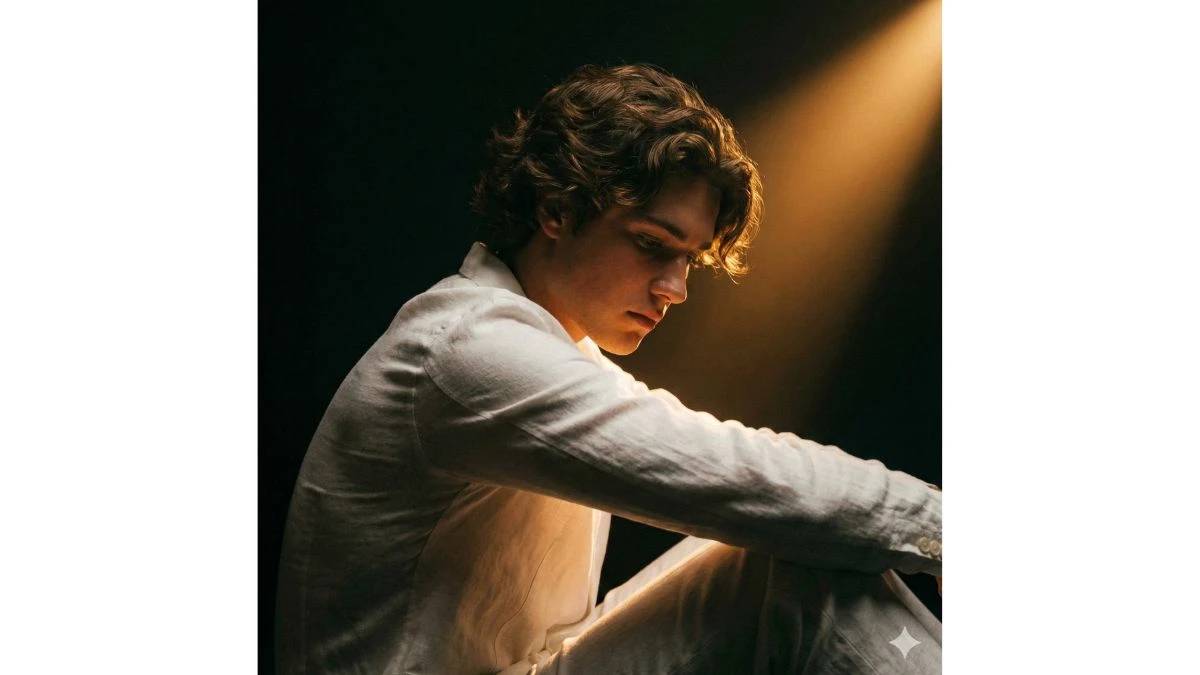
An emotionally charged cinematic portrait of a me with my given image, head slightly bowed, dressed in a simple white tops and trousers. A warm amber beam isolates her from the dark void, gently illuminating her hair to capture a mood of deep solitude.
Image Credit: Gemini AI
Prompt 8:
Use This:
Ultra-realistic cinematic portrait of a person, face with the face from the uploaded image, keeping the facial features exactly the same. He is standing on a wooden deck near the sea during golden hour, with warm golden sunlight illu-minating his face and casting soft cinematic shadows. He is wearing a casual white linen shirt, slightly unbuttoned, paired with relaxed-fit white trousers. Accessories include a pearl chain, a luxury wristwatch, and modern round.
Image Credit: Gemini AI
Prompt 9:
Use This:
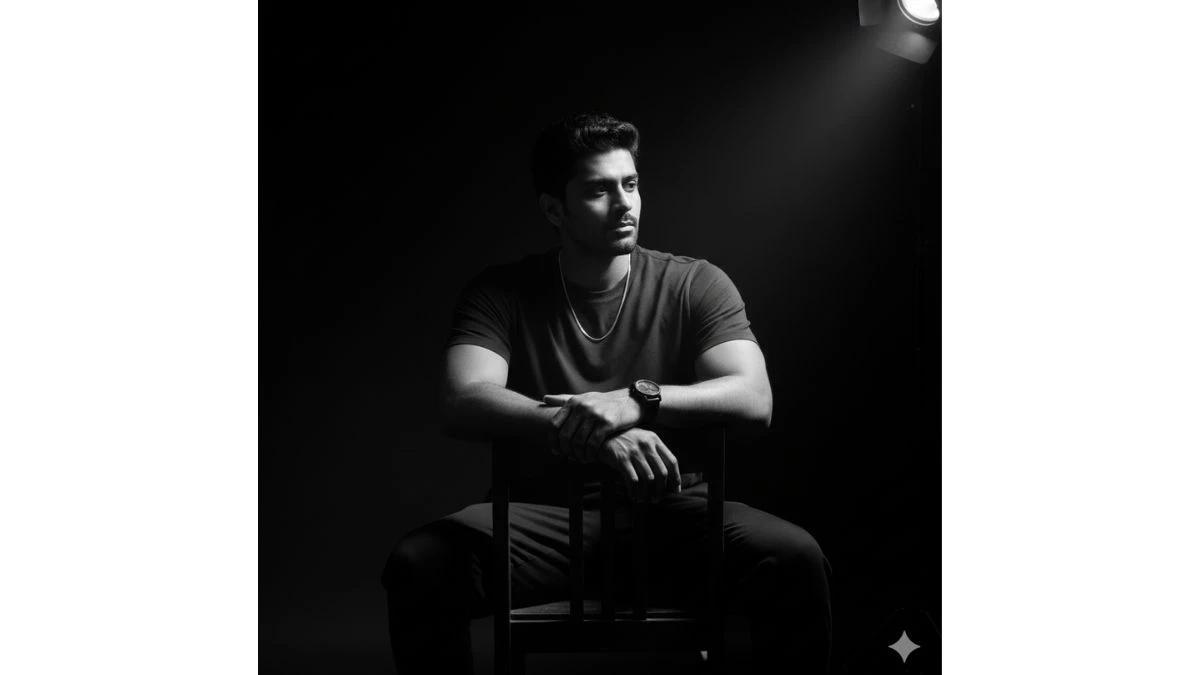
Use this photo in detail (a clear selfie photo) to create a cinematic black-and-white portrait of a young man sitting on a chair in a dark room. A single spotlight from the upper right corner illuminates his face and part of his body, creating dramatic shadows. The subject is wearing a plain dark t-shirt with simple accessories, gazing to the side with a melancholic expression. High contrast lighting, deep shadows, ultra-sharp details, HD quality, artistic pho- tography style.
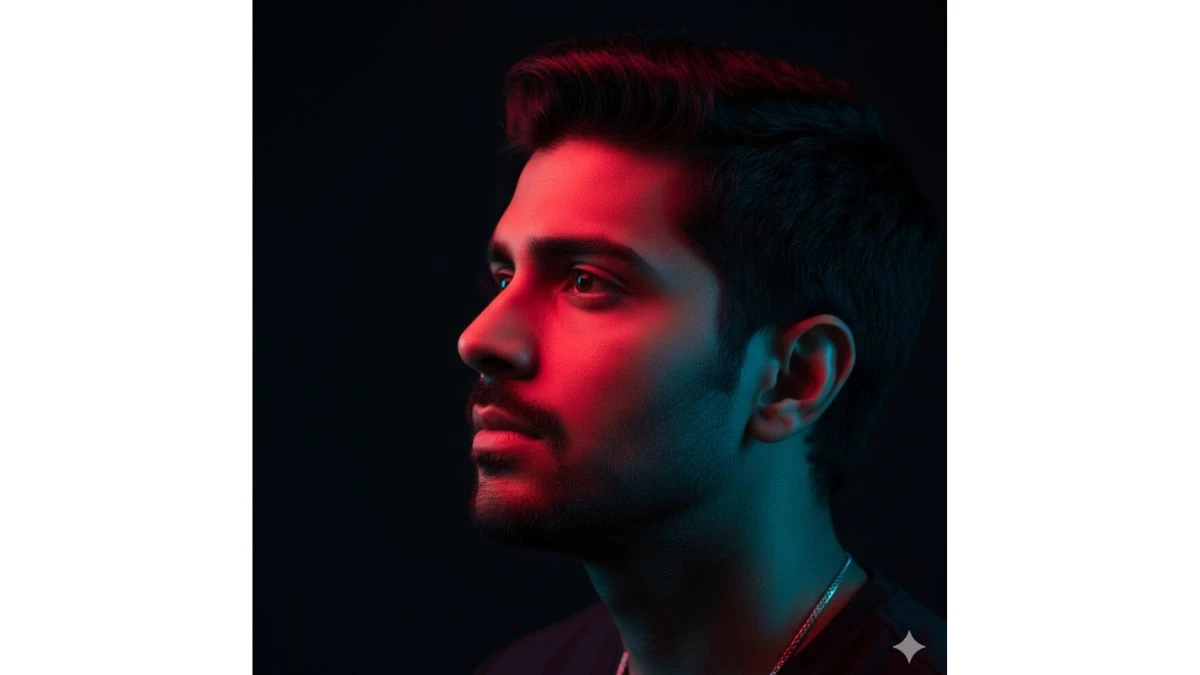
A high-resolution, cinematic, and photorealistic close-up profile portrait of uploaded person preserve face 100%). The image features dramatic split-lighting with a vibrant, glowing red light illuminating the top of his face and a contrasting, cool neon blue light casting a soft glow on his jawline and neck. He has a contemplative expression, looking upwards and away from the camera. The focus is sharp on his eye, with a dark, minimalist background. The style is moody, ethereal, and high-fashion.
Image Credit: Gemini AI
How to Create Images in Google Gemini AI?
Creating images in Google Gemini is easy, especially with its intuitive platform designed to bring your creative visions to life. Here's how you can get started:
Sign Up/Log In to Google Gemini:
First, ensure you have an active Google account. If you don’t, sign up, then log in to access Gemini AI's tools.
Select a Template or Start from Scratch:
Once you're in, you can either select a pre-made template or begin with a blank canvas. For beginners, templates are a great starting point, as they provide structure and inspiration.
Enter Your Prompt:
Google Gemini works based on detailed prompts. Type in your idea or description for the image you want to create. For example, you might use a prompt like “A stylish portrait of a young man in a futuristic city setting.” The more descriptive and specific your prompt, the more accurate the results.
Customize the Image:
After entering the prompt, Gemini AI generates an image based on your description. From here, you can customize the image by adjusting lighting, background, facial expressions, clothing, and other details. This allows you to create the perfect look tailored to your vision.
Refine and Edit:
After the initial generation, refine the image by tweaking specific elements like color balance, contrast, and details like skin tone or accessories. You can add filters and effects to give the portrait a unique touch.
Download or Share:
Once you're satisfied with the portrait, you can download the image or share it directly to social media platforms. This makes it easy to showcase your work and gain traction.