

6 Seedream 4.5 AI Photo Editing Prompts Copy-Paste to Create Most Realistic Portraits
Seedream 4.5 is an advanced AI tool that takes photo editing to the next level, allowing users to create hyper-realistic and stunning portraits. Whether you're a professional artist or someone exploring AI for the first time, Seedream 4.5 offers a perfect blend of creativity and technology to generate lifelike images.
With just a few creative prompts, you can craft portraits that are striking in their detail and authenticity. In this guide, we'll share 6 AI photo editing prompts you can use directly to create your most realistic portraits yet.
Join This Channel for Trending AI Image Prompts - CLICK HERE
Prompt 1:
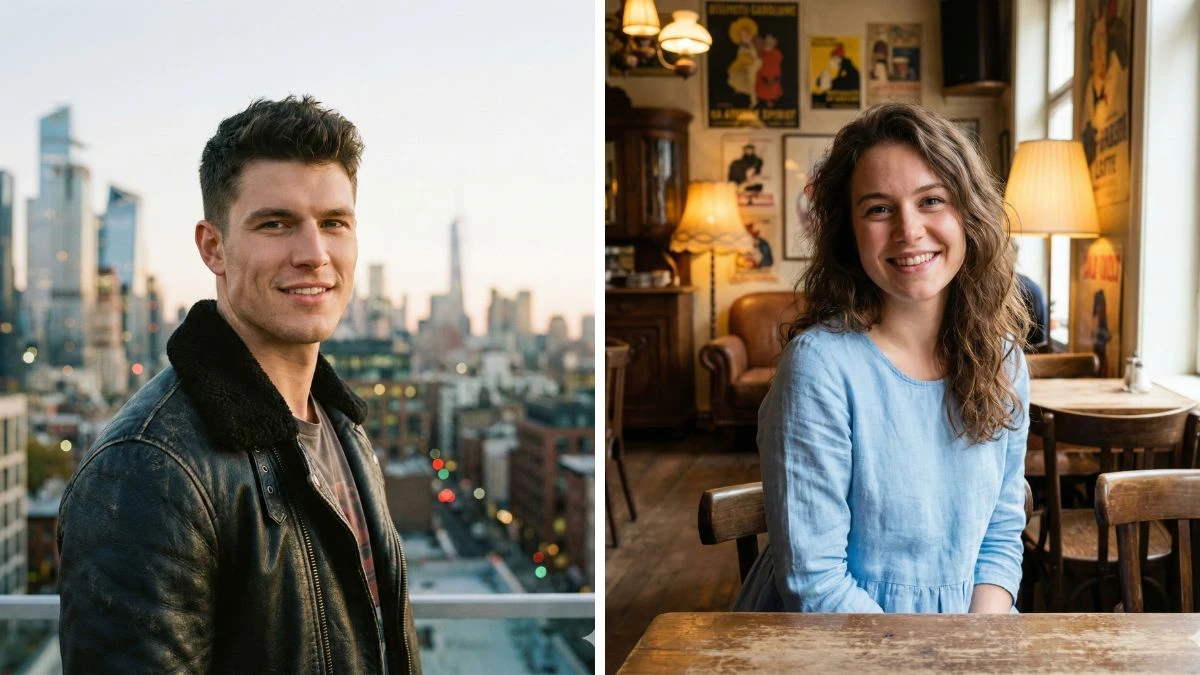
"Create a hyper-realistic portrait of a young man with short dark hair, strong jawline, and a confident smile. He is dressed in a stylish leather jacket, standing in front of a modern city skyline at dusk with soft lighting."
Prompt 2:
"Generate a lifelike portrait of a man with light brown eyes and tousled hair, wearing a casual white shirt, standing in a sunlit field with natural shadows casting on his face, showcasing a peaceful expression."
Must Try- 30 Stunning Gemini Boy, Girl & Couples AI Photo Editing Prompts
Prompt 3:
"Design a highly detailed and realistic portrait of a man with a rugged beard, sharp facial features, and a contemplative gaze. He is wearing a dark denim jacket and set against a misty forest background with soft, diffused light."
Prompt 4:
"Create a stunningly realistic portrait of a young woman with long wavy brown hair, wearing a light blue dress. She is sitting in a vintage cafe with soft ambient lighting, looking directly at the camera with a warm smile."
Try Now- 15 Gemini AI New Style Viral Photo Editing Prompts for Boys
Prompt 5:
"Generate a lifelike portrait of a girl with vibrant red hair, freckles, and green eyes, wearing a cozy knitted sweater. She is surrounded by golden autumn leaves with soft sunlight filtering through, casting a natural glow on her face."
Prompt 6:
"Design a realistic and detailed portrait of a woman with sleek black hair, wearing a chic black turtleneck. She stands confidently in front of a sleek, modern architectural structure, with light reflecting off the surface to create dramatic shadows."
Must Try- Only a person with high IQ Level can Spot the Hidden Number 653
How to Create Images in Seedream 4.5 AI?
Creating images in Seedream 4.5 is a smooth and intuitive process. Simply follow these steps:
-
Log in to Seedream 4.5: Access the platform via your account.
-
Select Portrait Style: Choose from various artistic or realistic portrait styles offered by Seedream 4.5.
-
Enter Your Prompt: Provide detailed instructions in your prompt, specifying elements like facial features, lighting, background, and mood. The more descriptive you are, the better the outcome.
-
Generate Image: Click the “Generate” button, and let the AI work its magic.
-
Refine Your Image: Adjust any elements such as color balance, sharpness, or background until you’re satisfied with the final result.
-
Download or Share: Save or share your high-quality, realistic portrait.


















































