
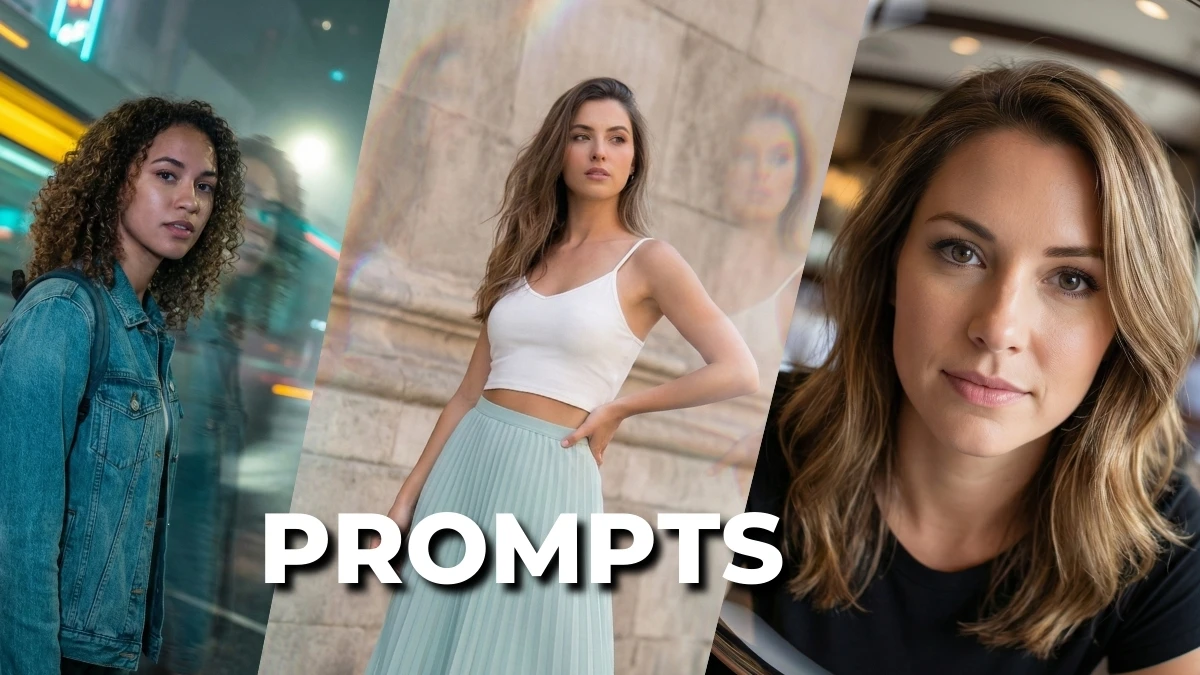

Girls’ Portrait Trend 2025: 8 Gemini AI Camera Effect Prompts Deliver Natural, High-End Results Without Heavy Filters
A subtle skin glow that looks like good skincare, not a beauty filter; lens flares that feel like sun hitting the glass, not a random overlay, that’s the kind of control “8 Gemini AI Camera Effect Filter Photo Editing Prompts for Girls to Achieve Professional-Quality Results” is all about.
Instead of stacking harsh filters, these prompts talk to Gemini like a camera app with pro controls: specifying focal length vibes, depth of field, color grading, and micro‑adjustments to texture so the final portrait feels shot on a high‑end DSLR with a carefully chosen filter, not processed to death.
With just eight smart, copy‑paste prompt formulas, girls can turn simple selfies into polished editorials, soft glam portraits, pastel aesthetic shots, or viral reels covers that balance realism and style in true professional quality.
How to Create the Image
- Open Gemini (web or app) and go to the image / photo editing or “Create image” section where Nano Banana / camera tools are available.
- Upload a clear, well-lit selfie (face centered, minimal filters, simple background) if you want your real face in the final portrait.
- Copy one of your 8 camera-effect prompts and paste it into the prompt box; add a line like “keep my real face, natural skin texture, professional camera effect filter, 4K ultra‑realistic portrait.”
- Choose portrait orientation and the highest quality/resolution setting available for sharper, pro-level results.
- Click Generate, then tweak small words (lighting style, color tone, background blur strength) and regenerate until the image looks both natural and high-end, then download.
Join This Channel for Trending AI Image Prompts - CLICK HERE
Gemini AI Camera Effect Filter Photo Editing Prompts for Girls to Achieve Professional-Quality Results
Prompt 1:
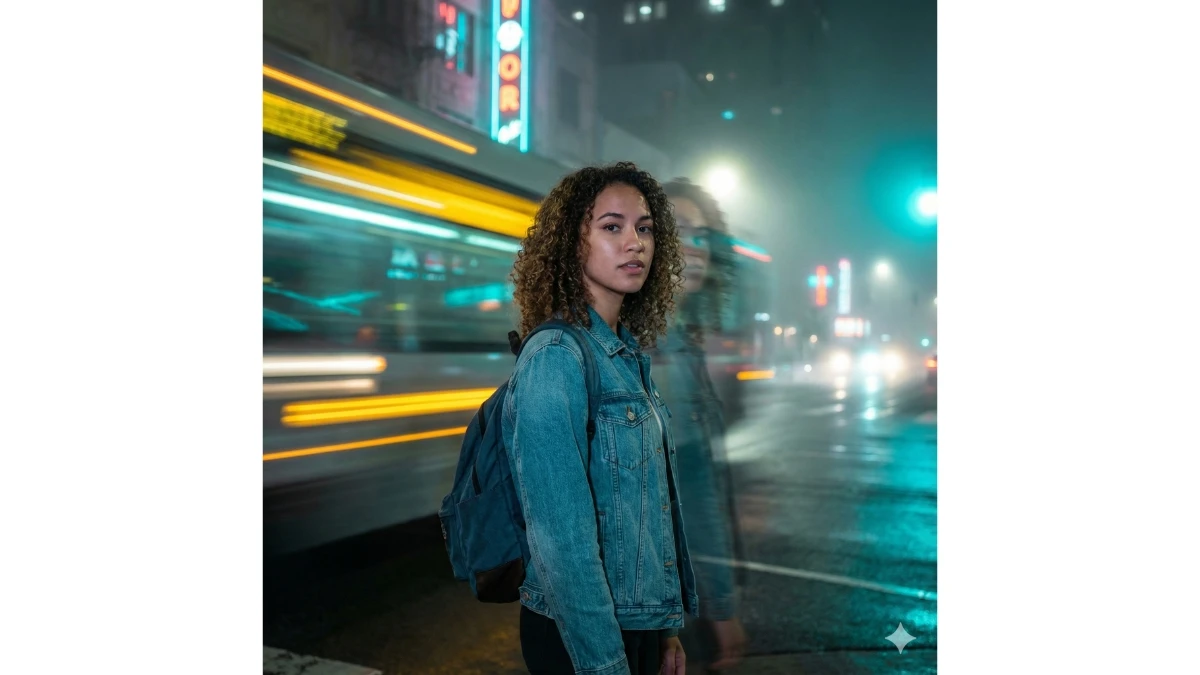
Use This:
"Apply a cinematic nighttime long-exposure light-blur effect to the uploaded photo. Keep the subject sharp, crisp, and in perfect focus while adding dynamic yellow and teal light streaks across the background, as if shot with a slow shutter speed and front flash. Introduce soft glowing light trails with horizontal and diagonal motion blur, along with a subtle ghosted silhouette behind the subject to enhance the sense of movement. Add ambient neon glow, gentle light bleed, and atmospheric haze while fully preserving the subject’s original colors, outfit details, and facial features. Overall aesthetic: moody urban night photography with intentional motion drag and vivid cinematic light streaks."
Prompt 2:

Use This:
"Apply a cinematic light-leak and prism refraction effect to the uploaded image while keeping the subject, face, pose, body shape, colors, and background completely unchanged. Add soft pastel light leaks along the left and right edges in warm orange, pink, and teal tones, with subtle diagonal rainbow prism streaks crossing the frame. Maintain full photorealism and keep all details sharp while layering dreamy optical distortions, chromatic edge separation, gentle double-image refraction, and a diffused glow around highlights. Do not modify the original composition—only overlay the prism and light-leak effects to create a soft, hazy, cinematic atmosphere."
10 Gemini AI Prompts for Cinematic Winter Portraits - Try Now!
Prompt 3:
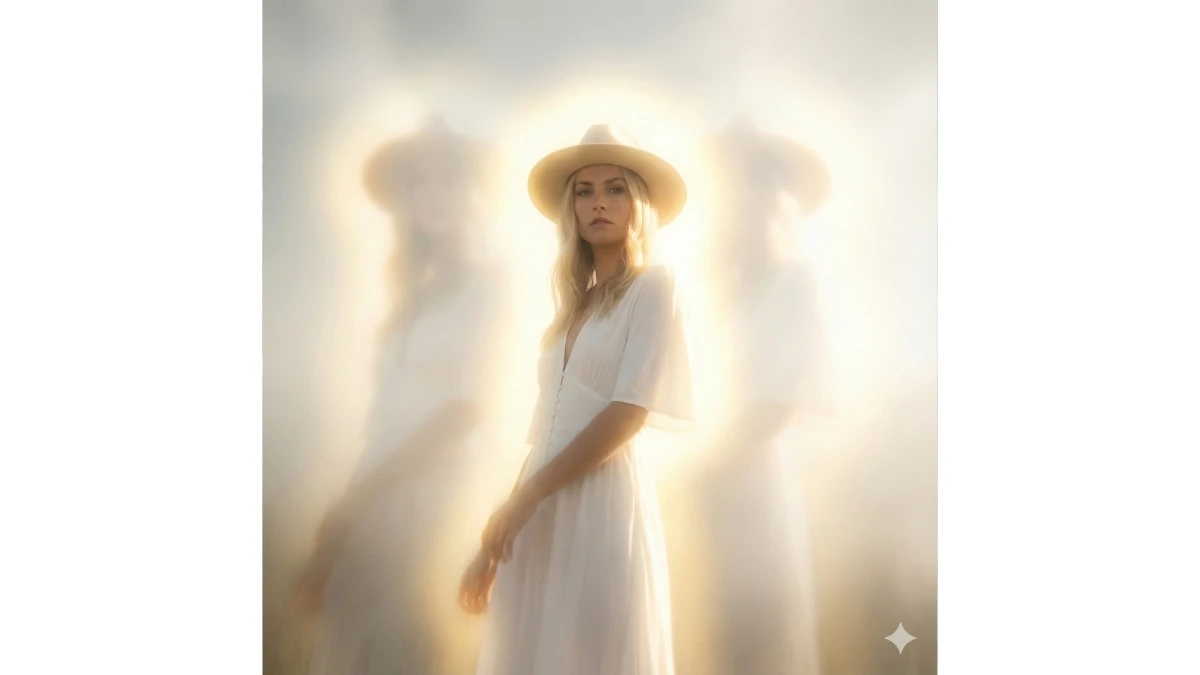
Use This:
"Apply an extreme dreamy, hazy editorial effect to the uploaded image while keeping the subject fully unchanged and photorealistic. Push glow, blur, and haze to the maximum—introduce ultra-strong bloom halos, deep soft-focus blur, dense atmospheric fog, warm golden diffusion, and overexposed milky highlights. Add subtle ghosting and a slight downward directional blur to enhance the surreal mood. Preserve all facial features, colors, pose, and composition. The final result should feel radiant, fog-drenched, and hyper-dreamy, resembling an exaggerated high-fashion magazine editorial."
Prompt 4:
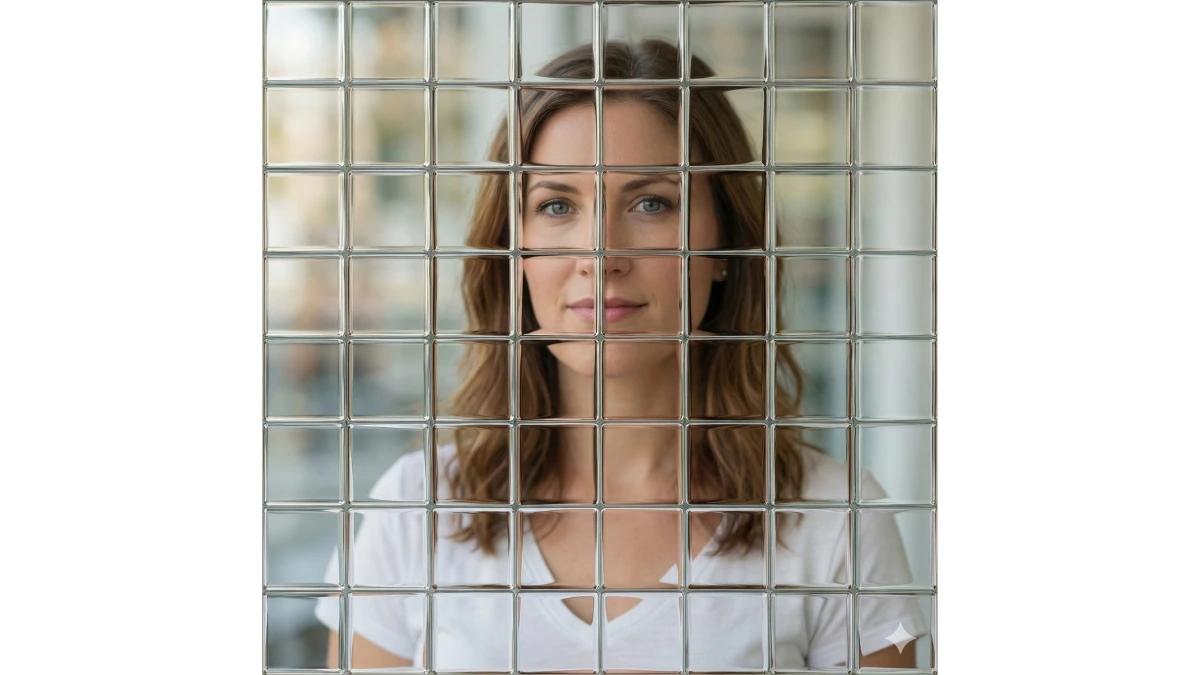
Use This:
"Apply a glass tile refraction effect to the uploaded image while keeping the subject, colors, and overall composition completely unchanged. Overlay a subtle grid of irregular, uneven glass tiles that organically refract and distort the image beneath them. Each tile should gently shift, bend, or slightly split the background and details behind it. Maintain full photorealism with soft light scattering, realistic optical distortion, and smooth, polished glass edges. Do not add frames, borders, or visible outlines—only an invisible, lens-like tile-based refraction effect across the image."
MUST TRY - Observation Test: Spot 66 in 6 Seconds
Prompt 5:
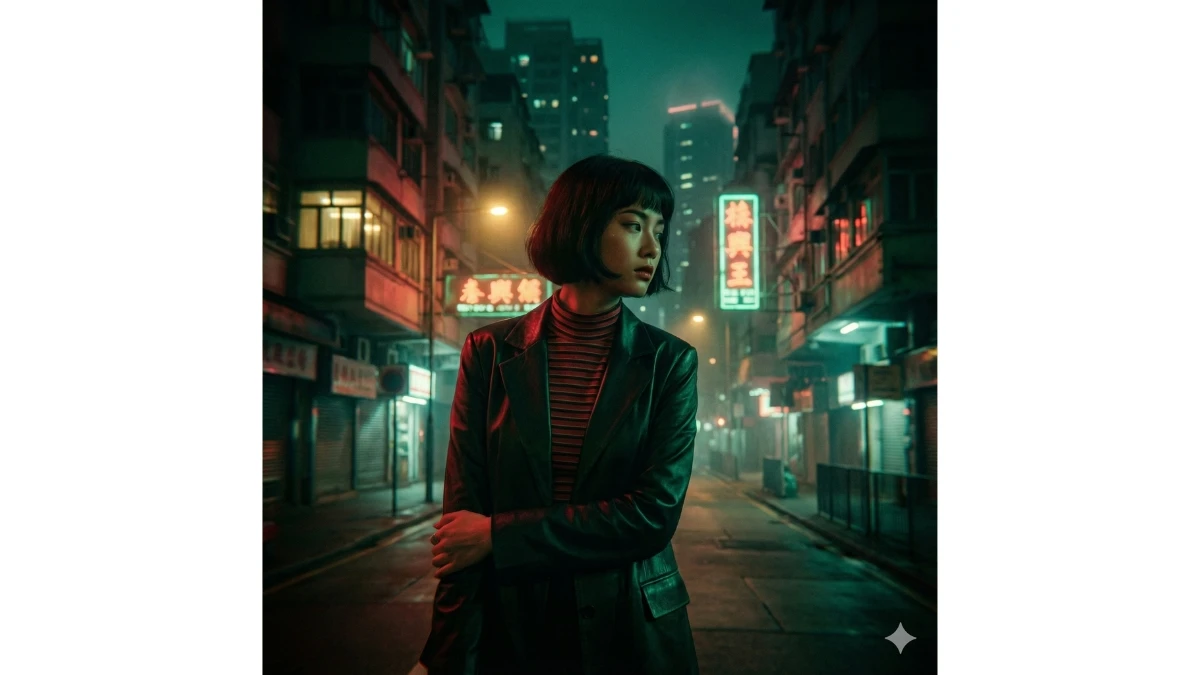
Use This:
"Apply a Hong Kong movie–style aesthetic to the uploaded image while keeping the subject completely unchanged in identity, pose, proportions, facial features, and outfit. Stylize the image with a cinematic Hong Kong film look inspired by 1990s Wong Kar-wai and modern HK street cinema—deep emerald and crimson color grading, vivid neon reflections, high-contrast shadows, soft bloom around light sources, and slight motion blur along background edges. Introduce rich film grain, subtle chromatic aberration, and atmospheric lighting that blends warm yellow practical lights with cool teal ambient glow. Preserve the original composition and background structure while enhancing it with gentle haze, a soft vignette, and a nostalgic, melancholic mood. Ultra-high resolution, cinematic, and photorealistic."
Prompt 6:
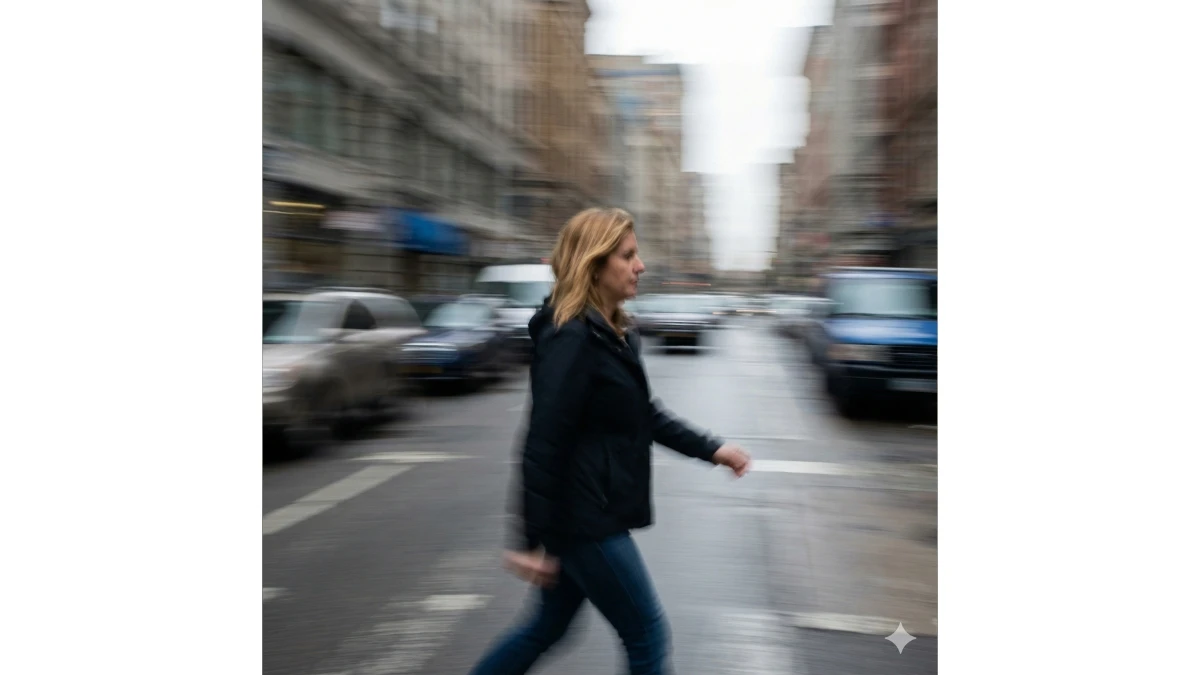
Use This:
"Transform the uploaded image to appear as if it was captured while moving at high speed. Apply intense, full-frame motion blur across the entire image with long horizontal streaks, smeared colors, and a strong sense of forward motion. Keep the subject’s face, body, and proportions recognizable but naturally blurred, as if caught mid-movement. Do not alter the original composition, pose, outfit, or lighting—only add heavy, continuous directional motion blur effects that mimic shooting from a fast-moving vehicle or running with the camera. Maintain photorealism with consistent blur across both subject and background."
5 Gemini AI Prompts for Intimate Couple Portraits - Try Now!
Prompt 7:
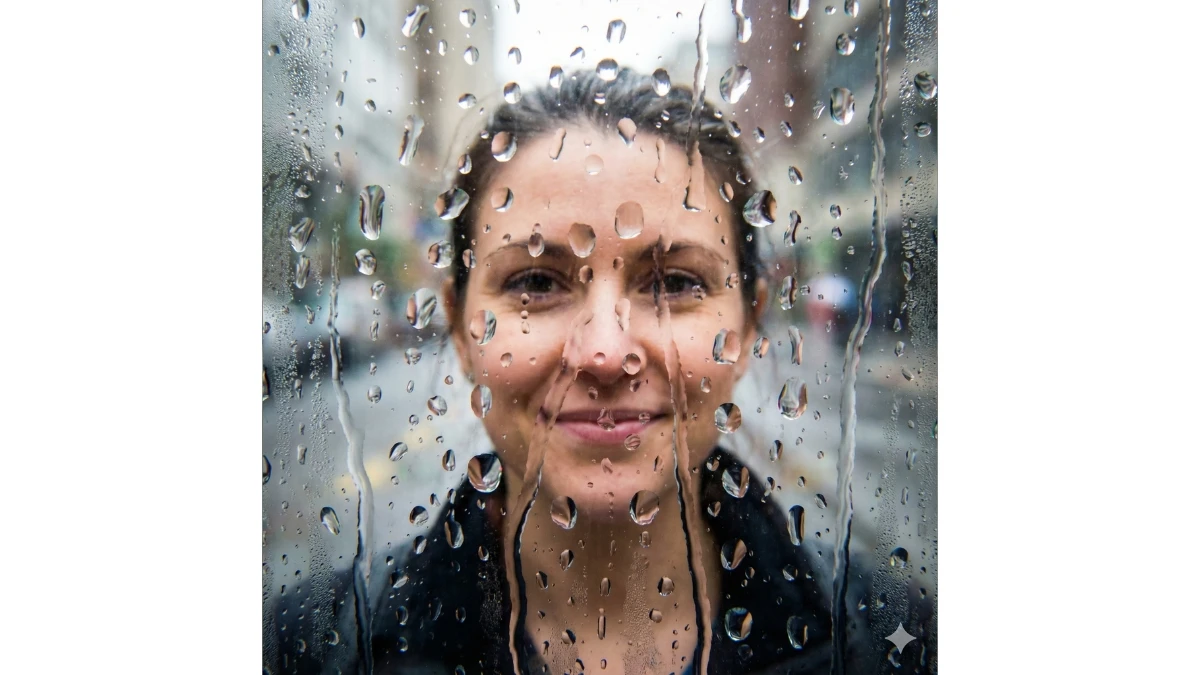
Use This:
"Apply an intense heavy water on the lens effect to the uploaded image while keeping the subject, colors, background, and composition completely unchanged. Cover the virtual lens with large water droplets, thick beads, smeared streaks, and dense condensation. Add overlapping clusters of droplets that create strong refraction, warping, and realistic light scattering across the frame. Include flowing water trails with gravity-pulled drips, plus misty micro-droplets near the edges for added realism. Maintain photorealistic lighting with subtle chromatic aberration around each droplet and a slightly softened scene visible through the wet lens. Do not modify the subject or scene—only overlay a dramatic, water-soaked lens effect."
Prompt 8:
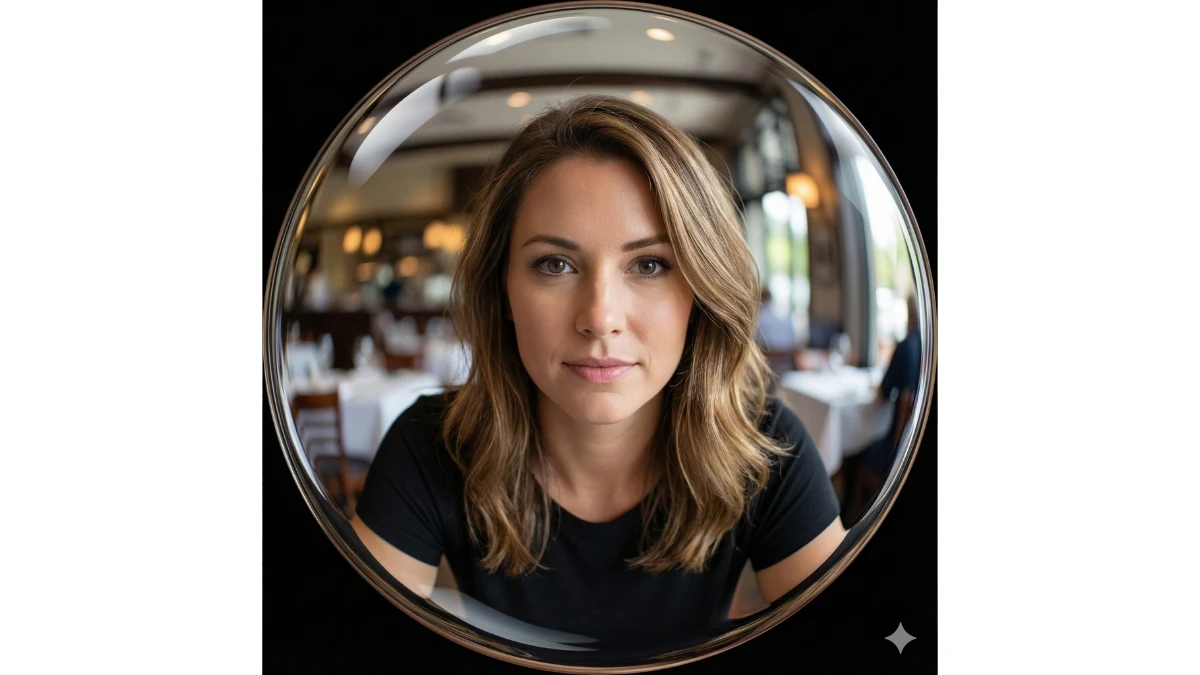
Use This:
"Apply a modern, polished extreme fisheye lens effect to the uploaded image while keeping the subject intact and recognizable. Warp the entire frame into a wide circular curvature, dramatically stretching and bending the edges while keeping the center sharp and in clear focus. Exaggerate perspective with smooth, controlled barrel distortion, maintaining glossy optical clarity and crisp, high-resolution detail. Ensure a clean, professional rendering with no vintage artifacts or noise—consistent with a high-end modern fisheye lens."
MUST TRY - Visual Puzzle: Spot the Hidden 5345
Image Credits: Google Gemini AI


















































