
Apple iOS 26.2 Update
Apple iOS 26.2 focuses on three things new tools for daily use, tweaks to visual design, and strong security patches. The update is available for all devices that already run iOS 26 so most recent iPhones can install it from the software update screen in settings.
New Everyday Features
The headline change is alarms for Reminders. You can now make certain reminders fire like real alarms so they ring through Focus modes when something is urgent.
This helps for bill payments, medicine alerts, and time critical tasks that you cannot miss anymore.
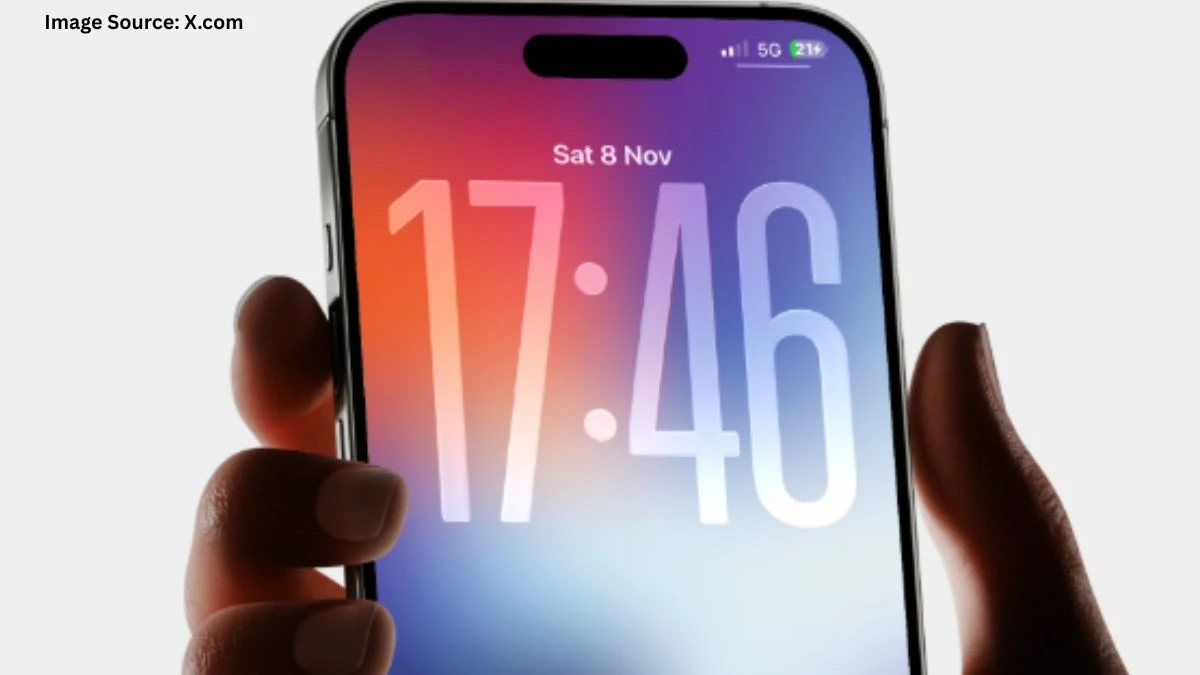
The Lock Screen gets more control for the Liquid Glass effect. There is an opacity slider for the clock and related elements so you can reduce the glass look if you found it too strong.
The Measure app level tool now uses the same Liquid Glass style so the visual design feels more consistent.
iOS 26.2 adds one time AirDrop codes. You can share files with people who are not in your contacts by using a code for that session which improves privacy and makes random sharing in public safer.
Media and App Improvements
Apple Music now supports offline lyrics. You can see song lyrics even when you are not on the internet which helps during travel or in low network areas.
Apple Podcasts gains automatic chapters so long episodes are easier to skim and resume without manual chapter editing by creators.
The Health app updates its Sleep Score system with refined thresholds so sleep ratings match real patterns more closely.
The Games app can now sort your library by size which is useful when your storage is nearly full and you need to remove big titles first.
CarPlay sees a tweak where certain pinned message popups are disabled or reduced to cut distraction while driving.
AirPods get Live Translation support in more regions in the European Union after earlier regulatory delays.
Safety Alerts and Notifications
In supported regions like the United States, Enhanced Safety Alerts now show richer information such as maps and guidance during emergencies.
Screen Flash notifications on iPhone let the whole display flash for alerts instead of only the camera LED which improves accessibility for people who rely on visual cues.
Reminders with alarms can cut through Focus modes and quiet settings when marked as urgent. This makes sure critical tasks still alert you even when the phone is in a filtered state.
Security Fixes and Bug Patches
Apple says iOS 26.2 fixes more than twenty security vulnerabilities including two WebKit flaws that attackers already used in real world targeted attacks on older versions.
These issues could allow malicious web content to run code or corrupt memory so updating quickly is important for anyone who browses the web a lot.
The update also closes bugs in areas like Photos, Messages, Phone, Screen Time, and Media handling that could expose private data or allow apps extra access.
A serious kernel issue that might let a bad app gain root level control is patched together with several memory corruption problems in system components.
Should You Install iOS 26.2
For most users this is a recommended update because it mixes useful new tools with high priority security fixes.
If your iPhone supports iOS 26 and you care about privacy and stability, staying on 26.0 or 26.1 now carries more risk than moving to 26.2.
Disclaimer:
The information provided about iOS 26.2 is based on the latest official details. Apple encourages users to update to the latest version to improve functionality and security.