
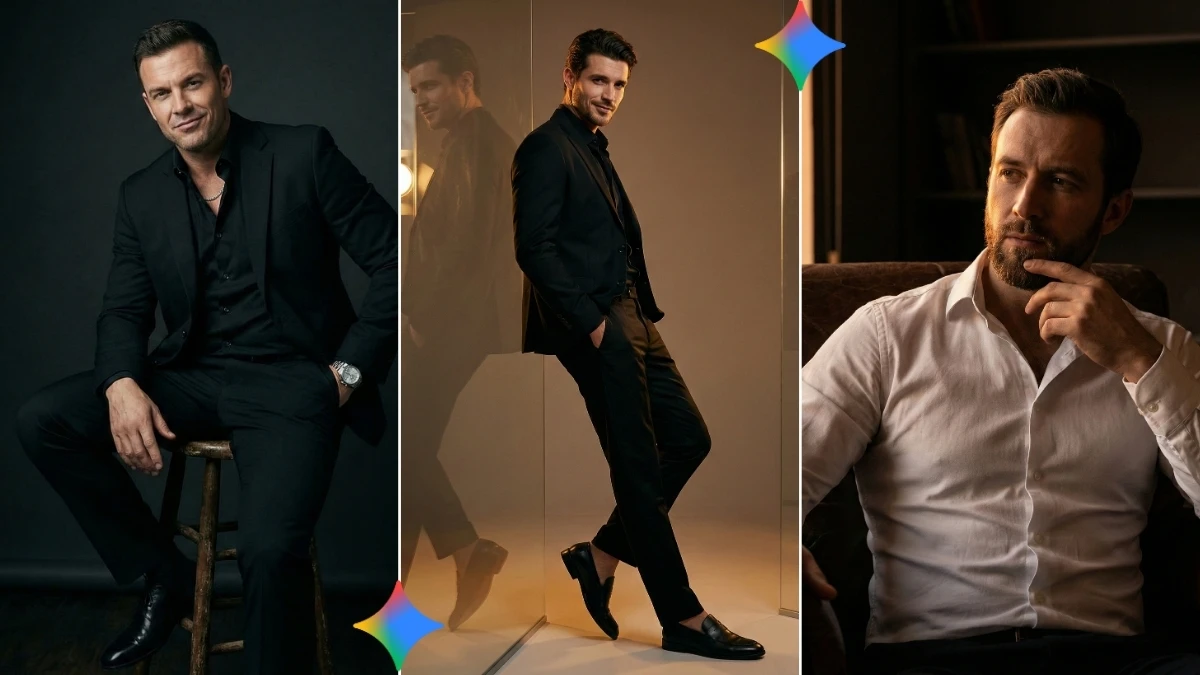

A clean backdrop, razor‑sharp subject, and lighting that looks like a brand campaign, that is the zone where “10 Trending Flux AI Image Generator Prompts to Create Stunning Professional-Quality Images” operates.
These prompts are not random “aesthetic” lines; they are mini blueprints that tell Flux which camera vibe to imitate, how the light should fall, how materials should look, and how polished the final output needs to feel, so the AI behaves more like an art director plus retoucher than a simple filter engine.
With ten such prompt patterns, creators can jump straight to agency-level visuals, product shots, portraits, magazine-style covers, or cinematic key art, without touching a single layer in Photoshop.
What these Flux prompts aim for
- Turn short ideas into professional-quality visuals by controlling style (photoreal, editorial, concept art), lighting (softbox, golden hour, neon), and composition (rule of thirds, centered hero, negative space).
- Leverage Flux’s strong prompt adherence so specific requests like fabric texture, glossy metal, or realistic skin and reflections show up reliably in the final image.
- Work across Flux variants (Flux Pro, Flux Dev, Flux Schnell, Flux 1, Flux 2) so you can choose between speed and maximum quality without changing your whole prompting strategy.
Simple steps: create pro-quality images with Flux AI
Open Flux AI Image Generator
- Go to the official Flux AI Image Generator or your chosen Flux-powered site (e.g., Flux AI Image Generator on flux-ai.io).
- Sign in if required and locate the text‑to‑image (and image‑to‑image if you need it) interface.
Select a suitable Flux model
- For highest visual quality, choose a “Pro” / “Flux.1 Pro / Flux.2 / high-quality” model; for speed tests, use Schnell / Dev.
- If the UI offers aspect ratios and size, set something like 3:4 or 16:9 and a higher resolution (e.g., up to ~2000×2000 px if available).
Write or paste a professional-style prompt
- In the prompt box, describe subject, environment, lighting, lens/feel, and quality level in one clear sentence, for example:
- “Ultra‑realistic professional product photo of a perfume bottle on a reflective glass surface, studio lighting, soft shadows, 4K resolution, shot like a luxury brand campaign.”
- For portraits, mention details like “natural skin texture, sharp eyes, soft background bokeh, editorial fashion lighting, high-end magazine cover style.”
(Optional) Add a reference image
- If the platform supports image‑to‑image, upload a reference photo or sketch to guide composition and style.
- Keep the prompt focused on changes you want: “same composition, richer colors, cinematic lighting, professional retouching look.”
Generate the image
- Click Generate and wait for Flux to render the result based on your prompt and chosen model.
- If there is a “guidance” or “prompt strength” slider, keep it in a moderate range so the model follows your text closely without becoming unstable.
Refine and re-run if needed
- Check details: face, hands, text, product edges, lighting, and shadows; if something is off, adjust a few words (e.g., “clean white background, no extra objects, realistic hands, no text”).
- Regenerate once or twice with these small edits until the image feels polished and professional.
Download in high quality
- Use the download/export button and choose the highest available resolution or quality option (PNG/JPEG).
- Save it to your device for use in social posts, thumbnails, client mockups, or portfolio projects.
Join This Channel for Trending AI Image Prompts - CLICK HERE
Trending Flux AI Image Generator Prompts to Create Stunning Professional-Quality Images
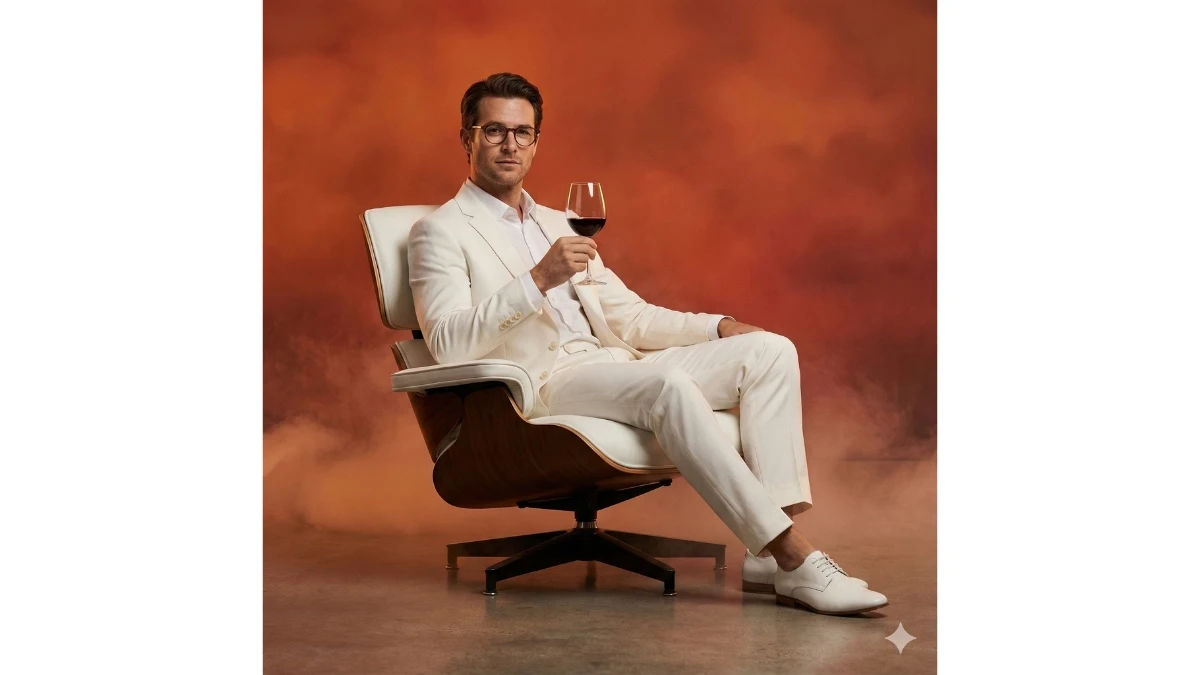
Prompt 1: Luxury White Suit Editorial Portrait
Use This:
"Create a cinematic fashion editorial portrait using the uploaded photo as the exact face reference. A stylish man sits confidently in a modern white leather armchair with wooden accents. He wears a tailored all-white suit with white shoes, a plain white shirt, and round eyeglasses. One hand rests casually while the other holds a glass of red wine with elegance. Warm reddish-orange gradient background with subtle fog, soft directional lighting, refined luxury mood, vertical 9:16."
Best for: High-fashion editorials, luxury branding visuals, cinematic portrait photography, and premium social media content.
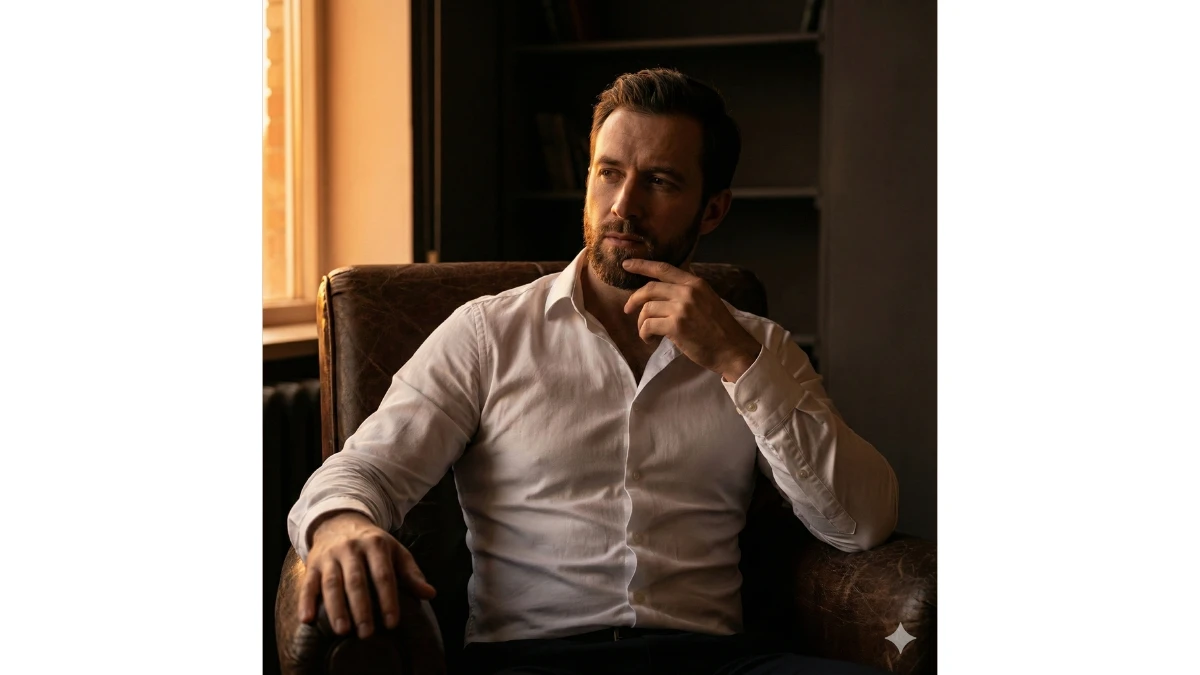
Prompt 2: Cinematic Chiaroscuro Portrait
Use This:
"Create a cinematic portrait using the uploaded photo as the exact face and identity reference. A man sits forward in a dark leather armchair, wearing a fitted white shirt slightly unbuttoned. One hand rests on the armrest while the other supports his chin in a thoughtful pose. Warm golden-orange light illuminates one side, creating deep shadows on the other (chiaroscuro). Minimal dark background, 8K ultra-detailed realism, elegant, confident, and introspective mood."
Best for: Editorial portraits, cinematic character studies, luxury branding visuals, dramatic studio photography.
10 Stylish Gemini AI Photo Editing Prompt Tricks - Try Now!
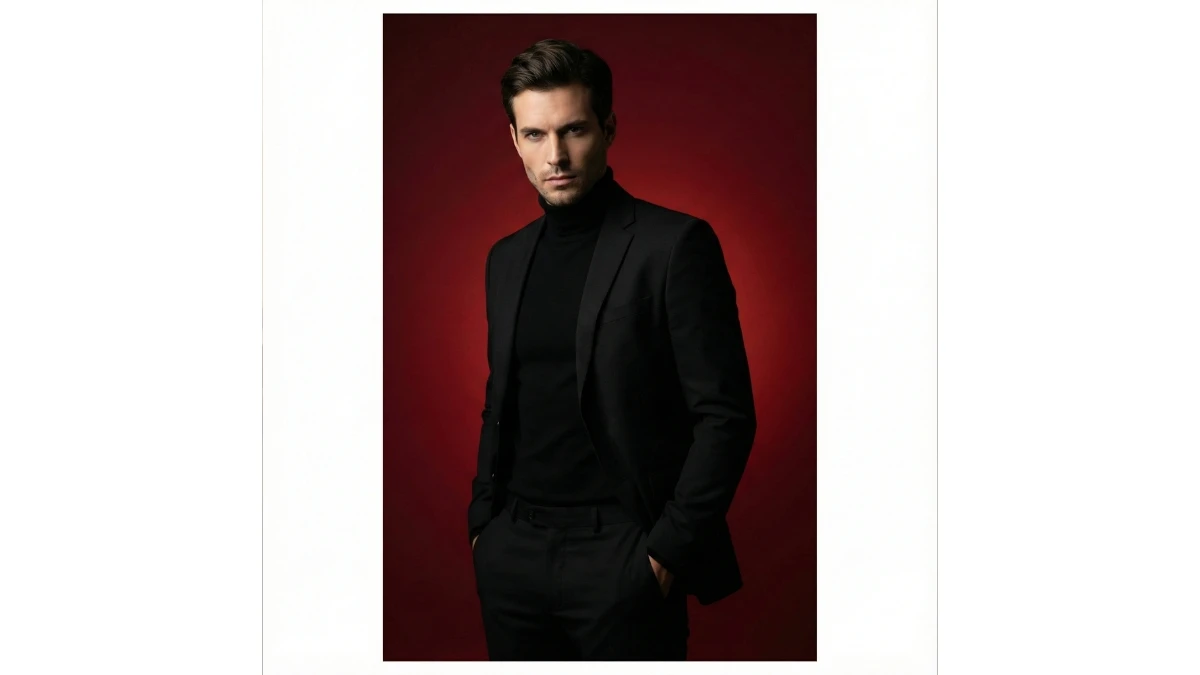
Prompt 3: Black Suit Red Editorial Portrait
Use This:
"Create a cinematic editorial portrait of a confident man in a full black outfit—black turtleneck and tailored suit. He stands with both hands in his pockets, projecting an intense, powerful gaze. Set against a bold red gradient studio background with a clean, distraction-free composition. Use smooth directional lighting to sculpt facial structure and suit lines with soft shadows. Fashion-magazine style shot with 85mm lens look, high contrast, matte texture, DSLR depth, ar 2:3."
Best for: Fashion editorials, luxury menswear branding, cinematic studio portraits, magazine-style visuals.
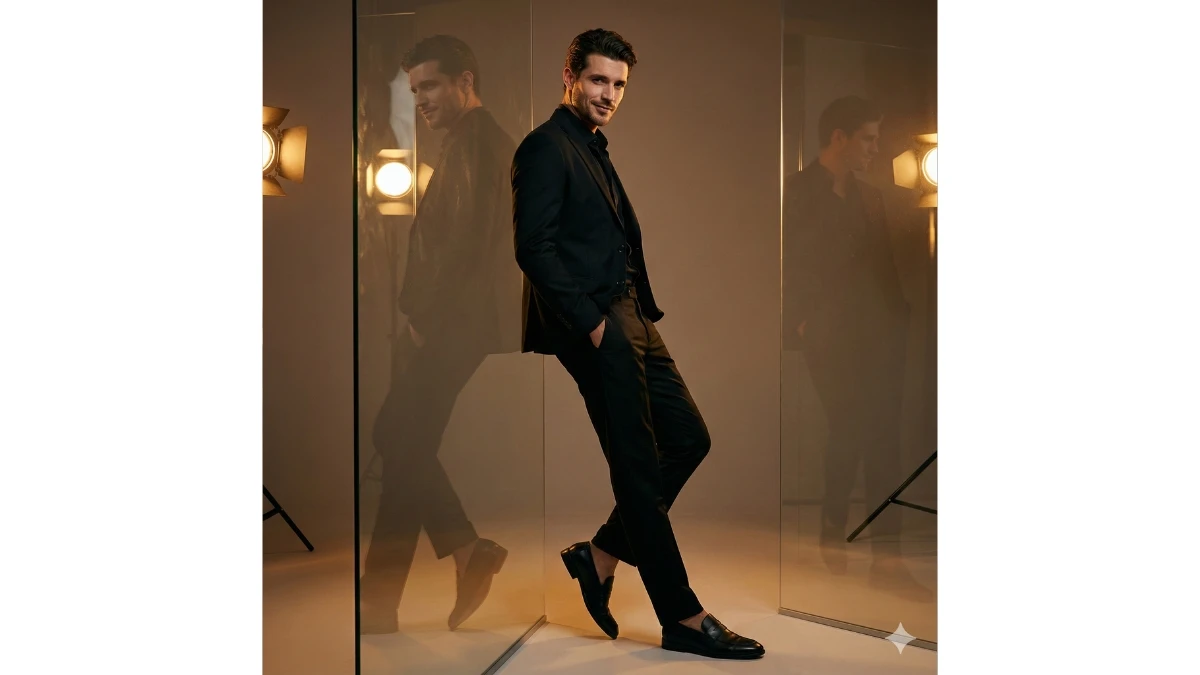
Prompt 4: Reflective Black Suit Editorial
Use This:
"Create a cinematic fashion editorial portrait using the uploaded photo as the exact face reference. A stylish man leans slightly against a large reflective glass panel, creating a double-perspective reflection. He wears a tailored all-black suit with black loafers, one hand in pocket, soft, confident smirk. Warm rim lighting adds depth and highlights the fashion-forward silhouette. Clean studio mood, high-end editorial style, cinematic feel, vertical 9:16 framing."
Best for: Luxury fashion editorials, modern branding visuals, cinematic portrait photography, and premium social media content.
MUST TRY - Optical Illusion Challenge: Spot the Inverted 83
Prompt 5: Powerful Black Suit Studio Portrait

Use This:
"Create a realistic studio portrait using the attached image as the exact face reference. A confident man sits on a wooden stool against a dark studio background with an attitude-filled expression. He wears a fitted all-black suit with a black shirt slightly unbuttoned, a silver chain, and a silver watch. Relaxed yet dominant posture with one arm on his leg and the other in his pocket. Soft directional lighting highlights facial structure and creates a powerful, cinematic mood."
Best for: Studio fashion portraits, luxury branding visuals, cinematic character photography, professional editorial content.
Prompt 6: Minimal Luxury Chair Editorial Portrait

Use This:
"Create a cinematic editorial portrait using the uploaded photo as the exact face reference with no changes. A refined man sits upright on a sculptural designer chair in a minimalist studio. He wears a tailored beige suit with a crisp white shirt, no tie. Hands rest calmly on his thighs, posture confident and composed. Neutral gradient background with subtle texture, soft directional studio lighting, controlled shadows, 85mm lens look, ultra-clean luxury aesthetic, vertical 9:16."
Best for: High-end fashion editorials, luxury branding, professional portrait visuals.
6 Cute Chibi 3D Selfie Diorama Prompts (Gemini) - Try Now!
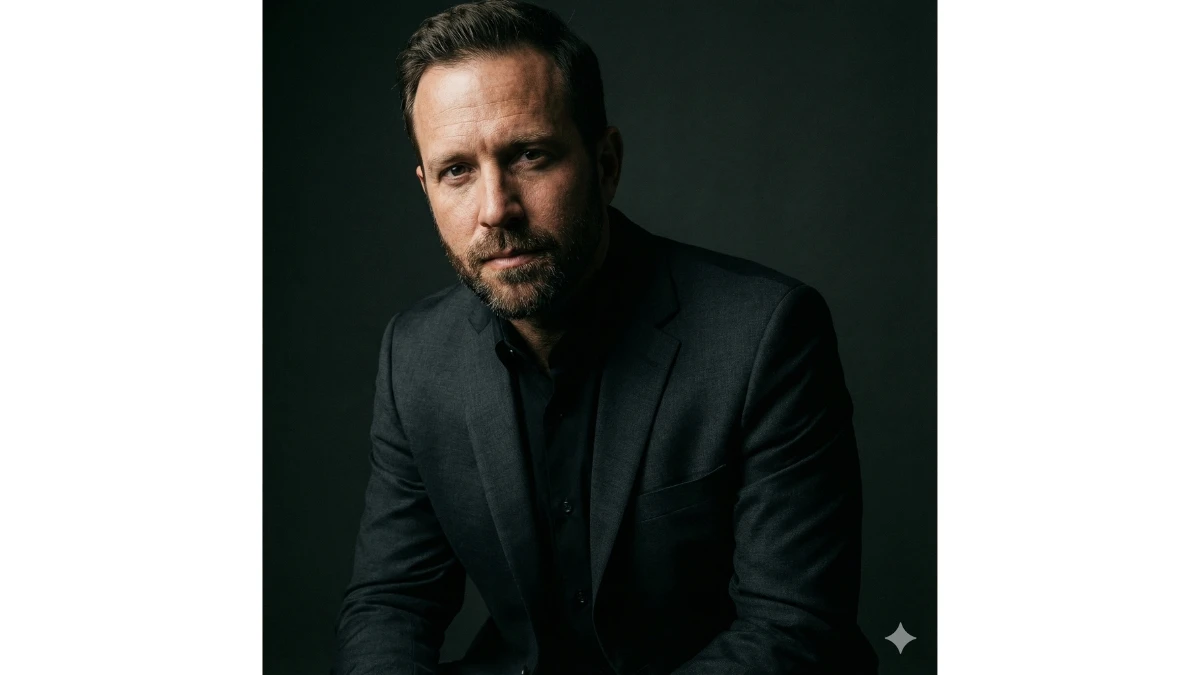
Prompt 7: Moody Side-Light Character Portrait
Use This:
"Create a dramatic cinematic portrait using the uploaded photo as the exact identity reference. The subject sits slightly turned, shoulders angled toward the camera, wearing a dark charcoal suit with a black shirt. Strong side lighting illuminates half the face while the other half fades into shadow, creating depth and intrigue. Dark neutral studio background, cinematic contrast, fine skin detail, subtle grain, ultra-realistic Flux-style rendering."
Best for: Character-driven editorials, cinematic branding visuals, professional studio portraits.
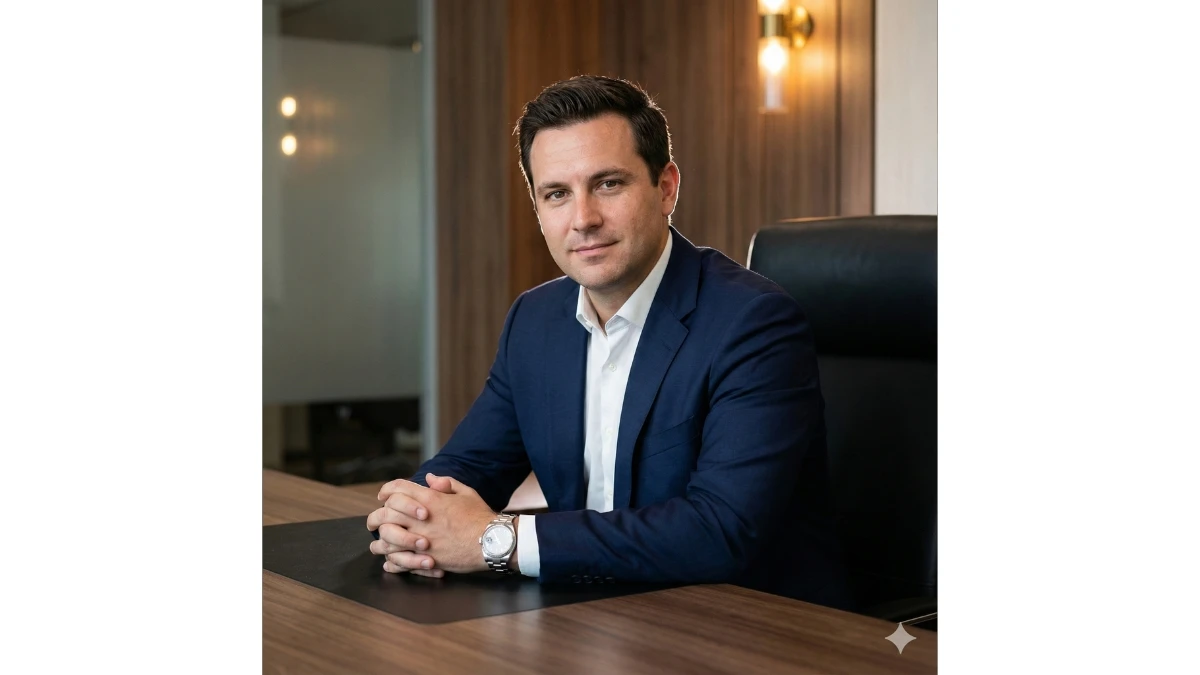
Prompt 8: Executive Desk Power Portrait
Use This:
"Create a professional cinematic portrait using the uploaded photo as the exact face reference. A confident man sits behind a modern executive desk with his hands gently clasped. He wears a tailored navy suit, white shirt, and metal wristwatch. Background features a clean, softly blurred office wall with warm accents. Balanced key lighting with soft rim light, premium corporate aesthetic, DSLR realism, polished editorial finish."
Best for: Corporate branding, leadership portraits, professional AI imagery.
MUST TRY - Spot the 3 Differences: Rainy Day Challenge
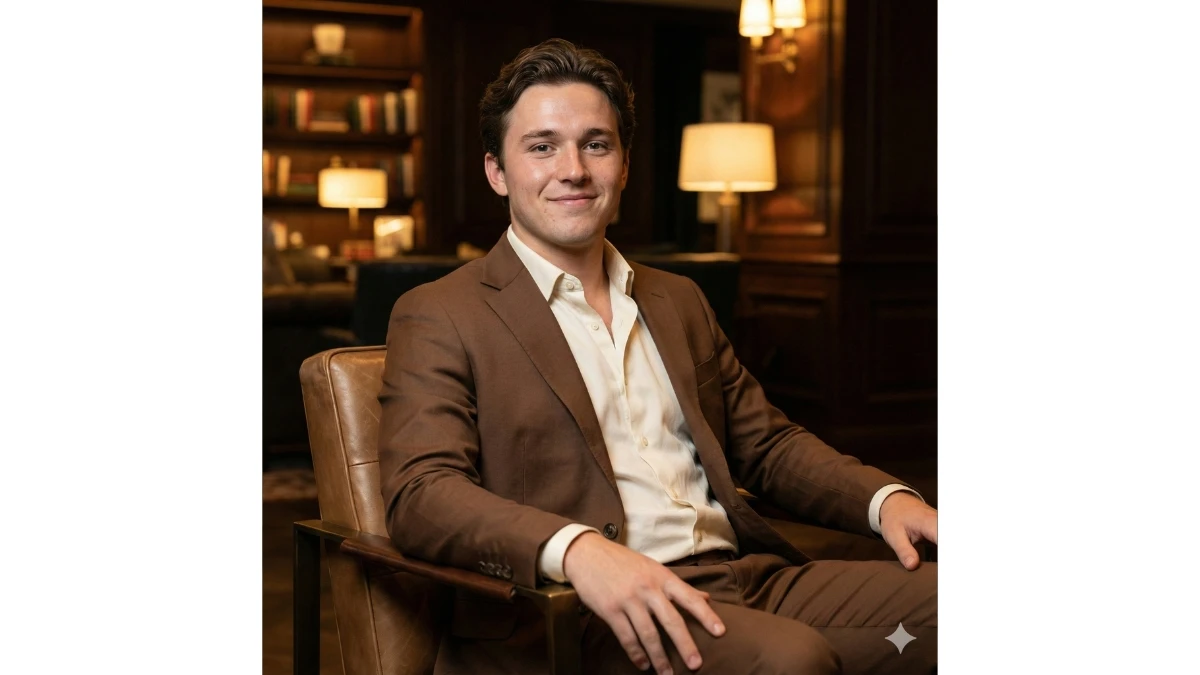
Prompt 9: Warm Luxury Lifestyle Portrait
Use This:
"Create a cinematic lifestyle portrait using the uploaded photo as the exact face and identity reference. A man sits relaxed in a modern lounge chair, one arm on the armrest and the other resting on his leg. He wears a tailored brown suit paired with an open-collar cream shirt. Use warm golden ambient lighting with soft background blur for a cozy, upscale mood. Ultra-detailed cinematic realism with vertical framing and refined lifestyle aesthetics."
Best for: Luxury lifestyle branding, cinematic portrait photography, premium social media visuals, upscale editorial content.
Prompt 10: Classic Studio Headshot Portrait

Use This:
"Create a professional head-and-shoulders studio portrait using the uploaded photo as the exact face reference. The subject faces the camera directly, wearing a white shirt under a dark blazer. Use controlled studio lighting with soft highlights and gentle shadows to sculpt the face. Neutral grey background with ultra-sharp focus and realistic skin texture. Editorial-quality lighting for a refined, timeless, and professional look."
Best for: Professional headshots, LinkedIn profiles, corporate branding, and editorial portraits.
8 Fun Gemini AI Toy Story–Style Selfie Prompts - Try Now!
Image Credits: Gemini AI


















































