


New Gemini Feature: Nano Banana Pro Prompts Turn Ordinary Photos into Instant 3D Caricatures
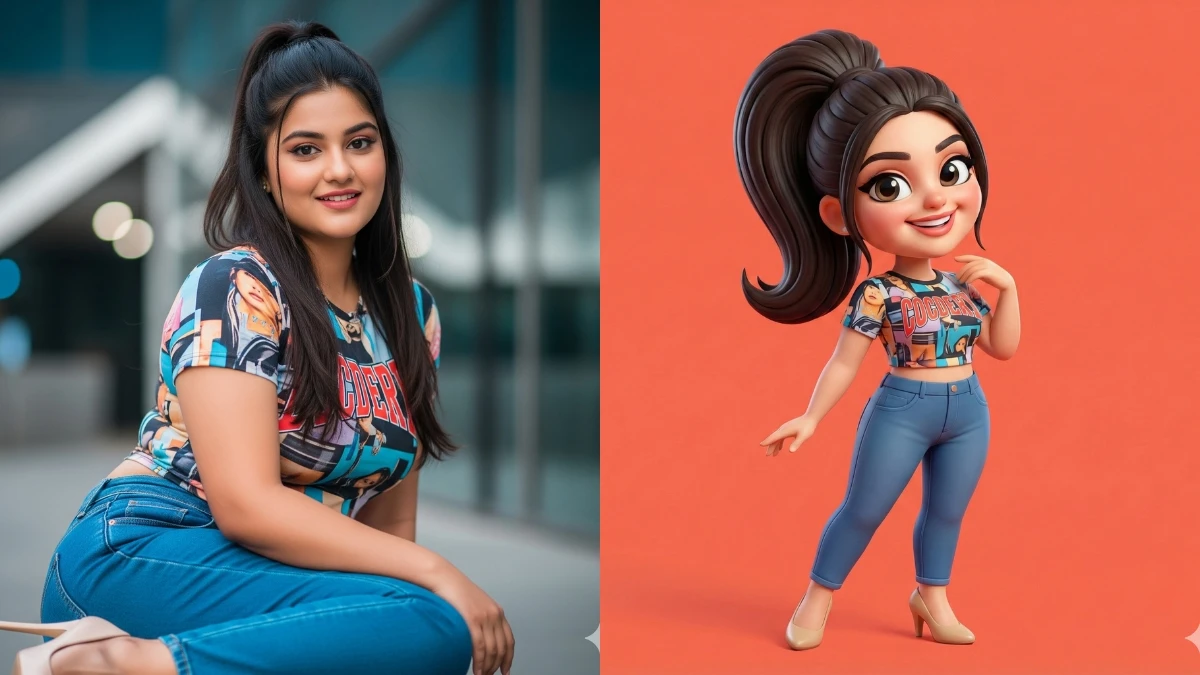
Big head, tiny body, glossy 3D skin, and cartoon‑movie vibes, this is the magic Nano Banana Pro can pull out of an ordinary selfie. With the right text, Gemini’s advanced image model can rebuild your photo as a 3D caricature: exaggerated facial features, clay‑like textures, dramatic lighting, and a bold background that looks straight out of a Pixar‑style poster.
What used to need pro 3D software is now a copy‑paste game: drop in your picture, add a smart caricature prompt, and Nano Banana Pro does the heavy lifting for avatars, profile pics, thumbnails, gifts, or just pure meme chaos.
Simple steps: create the 3D caricature
- Open Gemini and select Nano Banana Pro under the image / “Create image” tools.
- Upload a clear, front‑facing photo with good lighting and visible facial features.
- In the prompt box, describe the effect, for example: “Create a 3D caricature of this person with a large head, playful proportions, smooth clay‑like texture, and soft studio lighting. Keep the same identity and facial features.”
- Generate the image and wait for the 3D render; if the exaggeration is too strong or too subtle, adjust words like “highly exaggerated” or “mild caricature” and regenerate.
- Download the final result in high resolution for social media, avatars, or print.
Tips and tricks for better caricatures
- Start with expressive photos: big smiles or raised eyebrows give the AI more to exaggerate in a fun way.
- Add style keywords such as “Pixar‑style 3D,” “smooth plastic toy look,” or “game character render” to control the overall vibe.
- Specify lighting and background: phrases like “soft ambient lighting, key light from the front, simple gradient backdrop, gentle background blur” make the result look polished, not messy.
- Keep identity locked by mentioning “preserve the subject’s exact face, skin tone, and unique features,” so it still looks like you, just in cartoon form.
Join This Channel for Trending AI Image Prompts - CLICK HERE
Gemini Nano Banana Pro Prompts to Turn Your Photo into 3D Caricatures
Prompt 1:
"Step 1: Upload your image
Step 2: Copy and paste the prompt
A highly stylized 3D caricature of the person in the uploaded image, with expressive facial features and playful exaggeration. Rendered in a smooth, polished style with clean materials and soft ambient lighting. Bold color background to emphasize the character’s charm and presence."
Time Travel Through Fashion: Gemini AI Prompts from the 1880s to 1920s - Try Now!

MUST TRY - Spot the Number 9095: Optical Illusion IQ Test
Image Credits: Google Gemini AI


















































