Rehman Dakait look from Dhurandhar Gemini AI Photo Editing Prompts 2025
Explore the 2025 AI photo editing prompts for creating a striking Rehman Dakait look with Dhurandhar Gemini. Unleash your creativity with advanced tools to transform portraits into stunning artworks.
Rehman Dakait look from Dhurandhar Gemini AI Photo Editing Prompts 2025
Gemini AI is a powerful tool that can generate high-quality images based on textual descriptions. Whether you're looking to recreate historical figures, fictional characters, or create imaginative concepts, Gemini AI provides a fast and effective way to bring your ideas to life visually. It's perfect for digital artists, content creators, and anyone interested in AI-driven artwork.
Join This Channel for Trending AI Image Prompts - CLICK HERE
Prompt 1:
Use This:
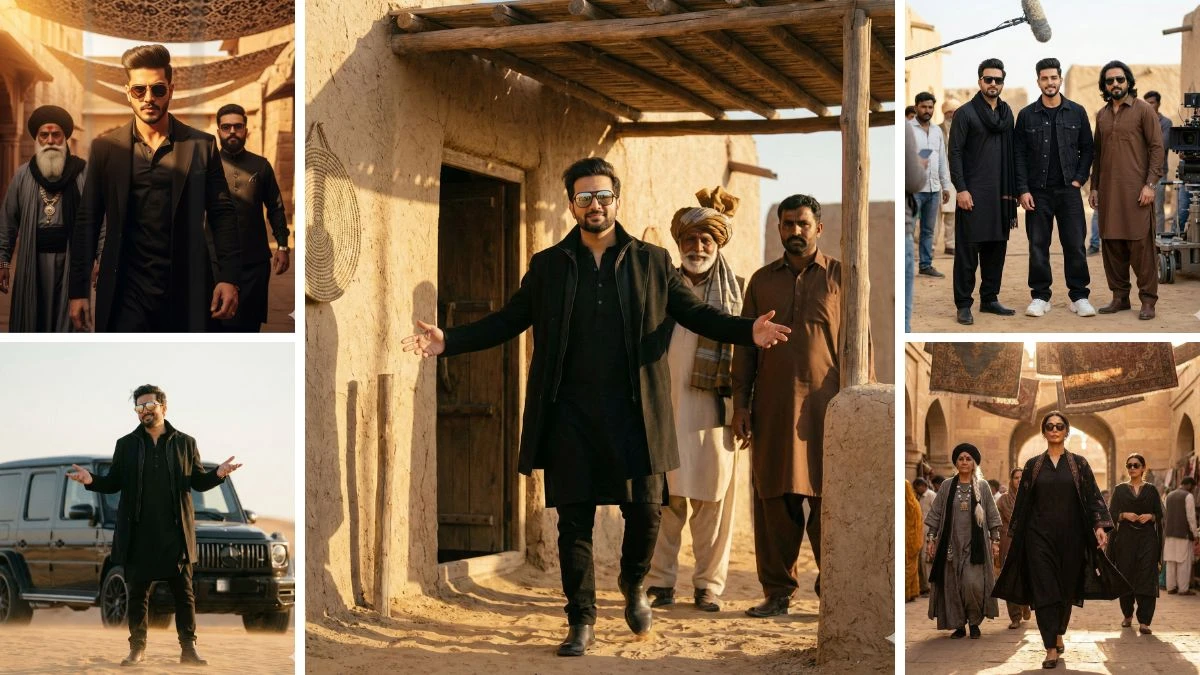
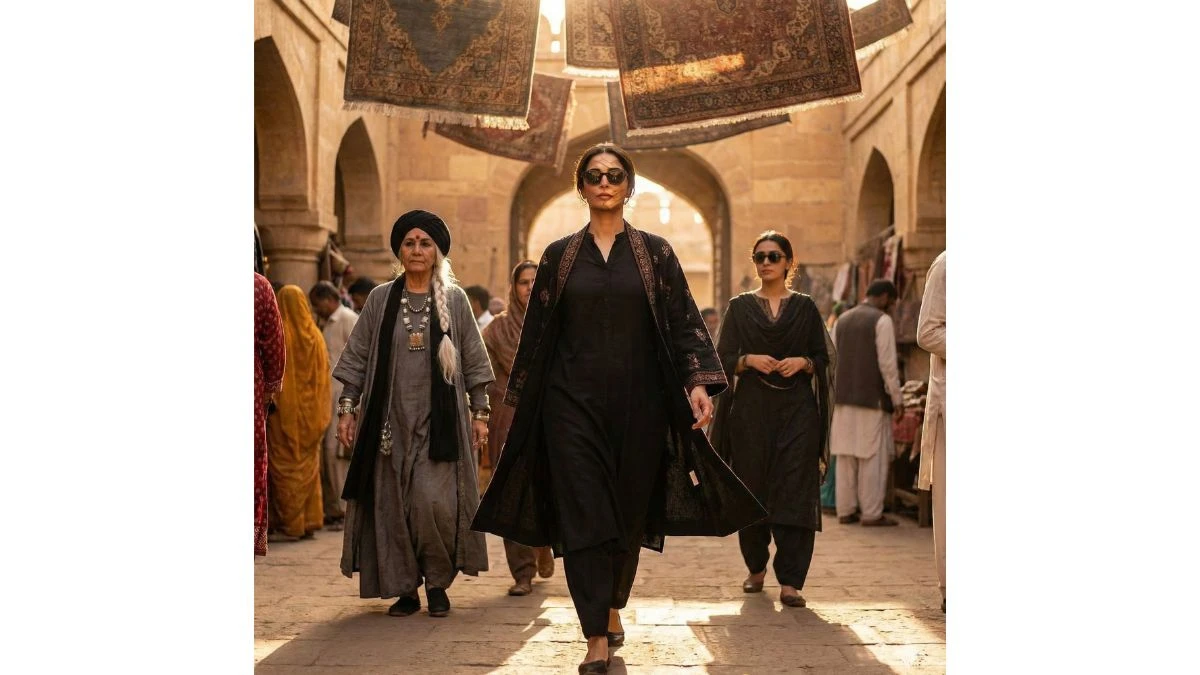
Ultra realistic, cinematic full-body portrait of the same young woman from the reference photo (same hairstyle, defined eyebrows, neatly trimmed facial contours, and confident expression). A powerful cinematic scene showing a stylish female villain making an intense entrance. A sharp-featured woman wearing a black kurta-style outfit, black overcoat, and dark sunglasses walks forward with confidence. Warm golden sunlight filters through patterned fabric shades hanging overhead, creating dramatic light and shadow on her face. Behind her, two women follow one elderly with a long white braided hairstyle, black turban, layered grey robe, and heavy jewelry; the other younger with a confident look, dark glasses, and dark traditional and dark clothing. The environment resembles an ancient marketplace or desert fort made of sandstone, with textured walls and warm golden tones. The camera angle is slightly low, capturing a heroic, slow-motion walk. Highly detailed faces, crisp shadows, cinematic depth of field.
Image Credit: Gemini AI
Prompt 2:
Use This:
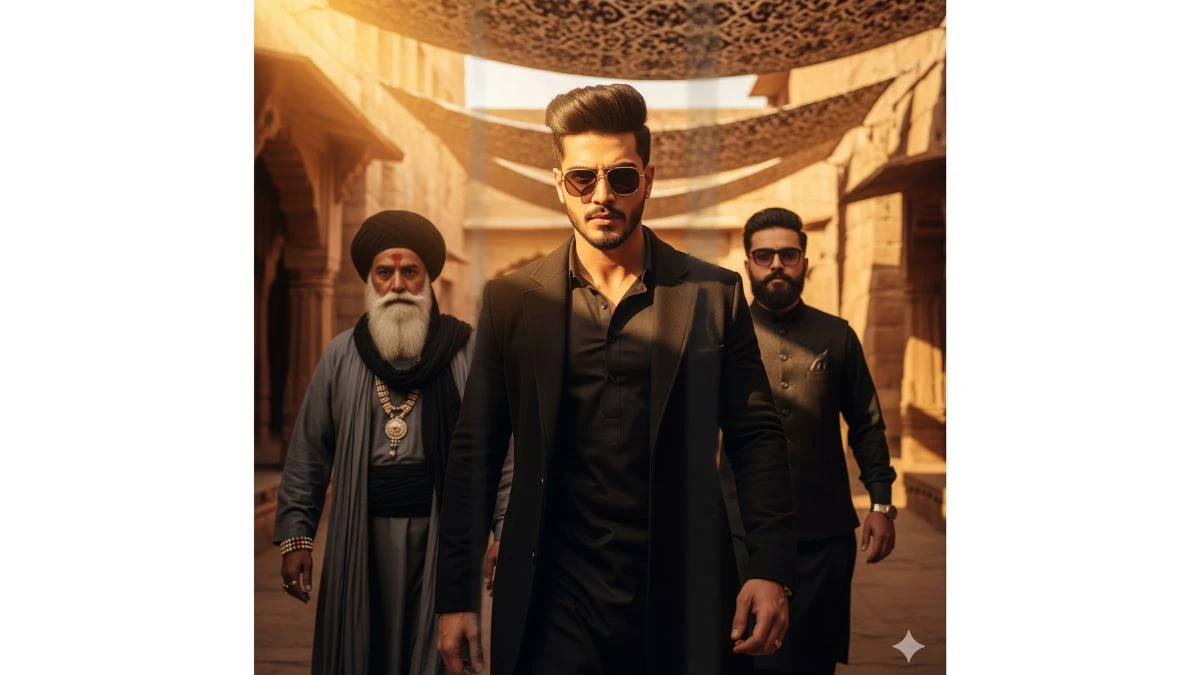
Ultra realistic, cinematic full-body portrait of the same young man from the reference photo (same hairstyle, sharp eyebrows, trimmed beard, and confident facial expression). A powerful cinematic scene showing a stylish villain making an intense entrance. A sharp-featured man wearing a black kurta, black overcoat, and dark sunglasses walks forward with a confident attitude. Warm golden sunlight filters through patterned fabric shades hanging overhead, creating dramatic light and shadow on his face. Behind him, two men follow - one elderly with a long white beard, black turban, layered grey robe, and heavy jewelry. The other younger man with a beard and dark glasses, dressed in dark traditional clothing. The environment Looks Like an ancient masketplace or desert fort made of sandstone, with textured walls and warm golden tones. The camera angle is slighly low, capturing a heoic, slow-motion walk. Highly detailed faces, crisp shadows, cinematic depth of field, rich colour grading, dramatic.
Image Credit: Gemini AI
Prompt 3:
Use This:
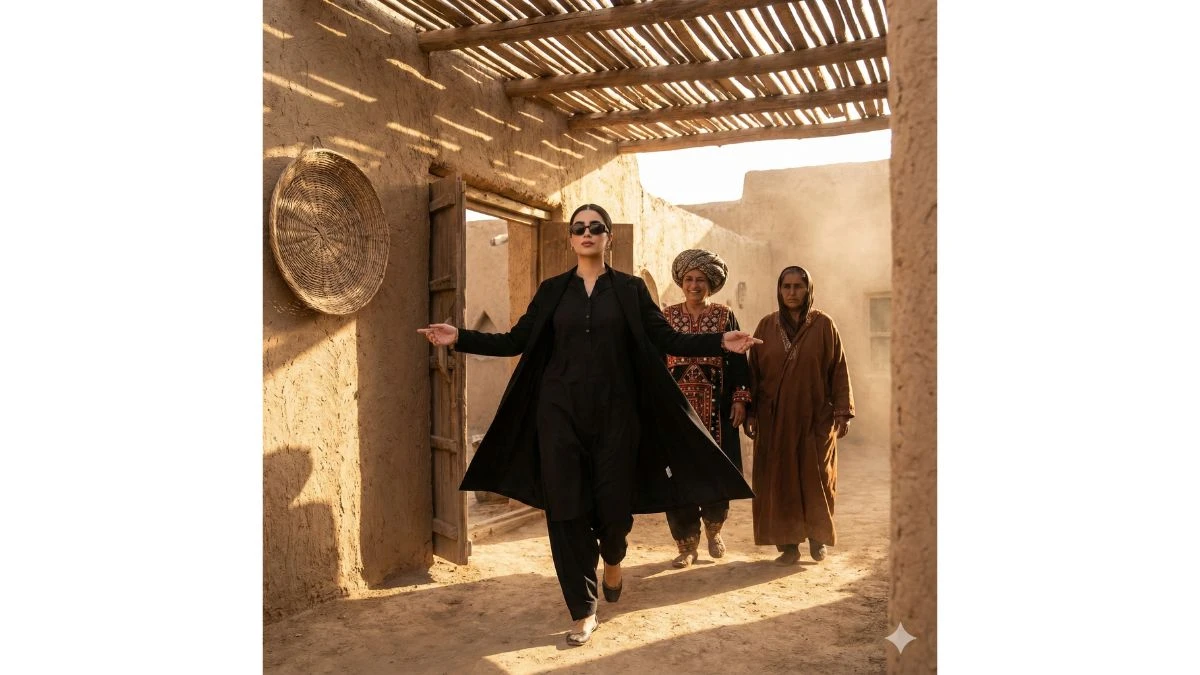
Ultra realistic, cinematic full-body portrait of the same young woman from the reference photo (same hairstyle, de fined eyebrows, neatly shaped features, and confident facial expression). Create a high-quality cinematic scene set in a rustic desert village made of mud-brick walls. The main subject is a stylish woman stepping out confidently from a wooden shaded doorway. She is wearing a full black outfit - a long black coat, black kurta-style inner clothing, and dark sunglasses. Her body posture shows attitude and confidence, with both arms extended outward as she walks forward. Behind her, two women dressed in traditional ethnic attire follow her. One woman has a large turban and a white braided style, smiling proudly, while the other wears a brown traditional outfit and stands seriously. The lighting is warm and desert-Like, with sunlight filtering through the wooden roof, casting dramatic shadows on the ground and walls. On the left side, a woven circular basket hangs on the mud wall."
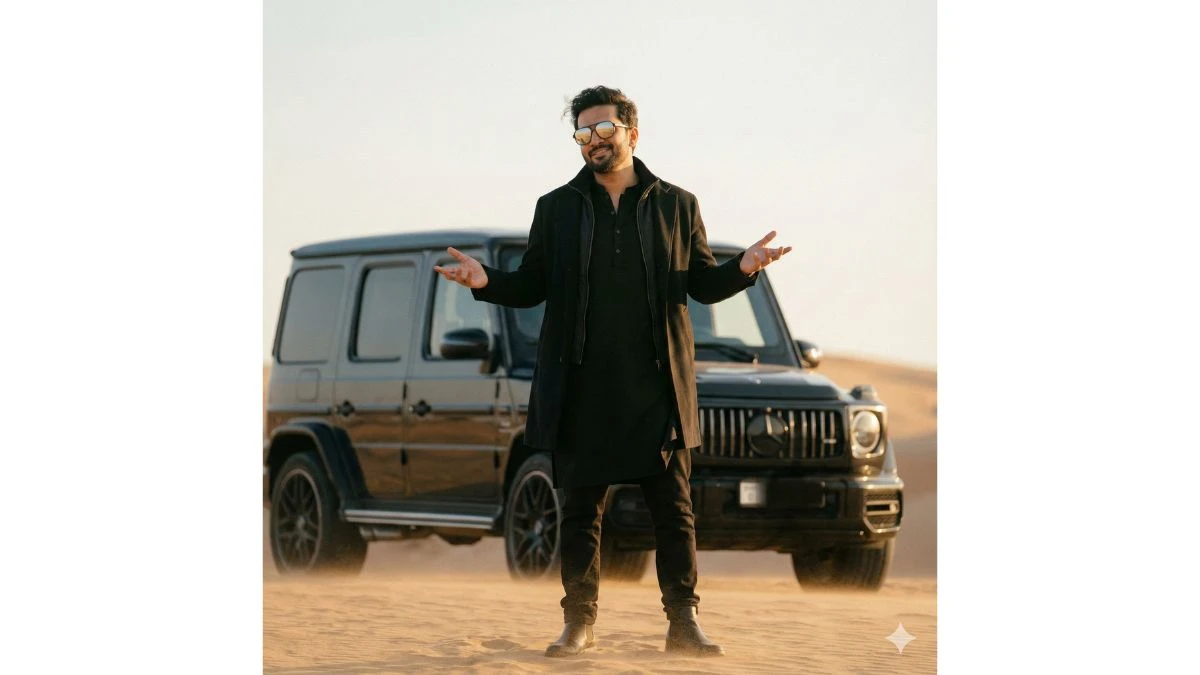
A stylish man standing in a desert, wearing an al-black outfit with a black kurta and coat, hands open in a casual i what can I say gesture. Wind blowing lightly, desert sand in background, luxury SUV behind him. Cinematic lighting, soft warm tones,depth of field, high-quality 4K frame, sunglasses reflecting light, dramatic film look, minimal grain, realistic color grading.
Image Credit: Gemini AI
Prompt 5:
Use This:
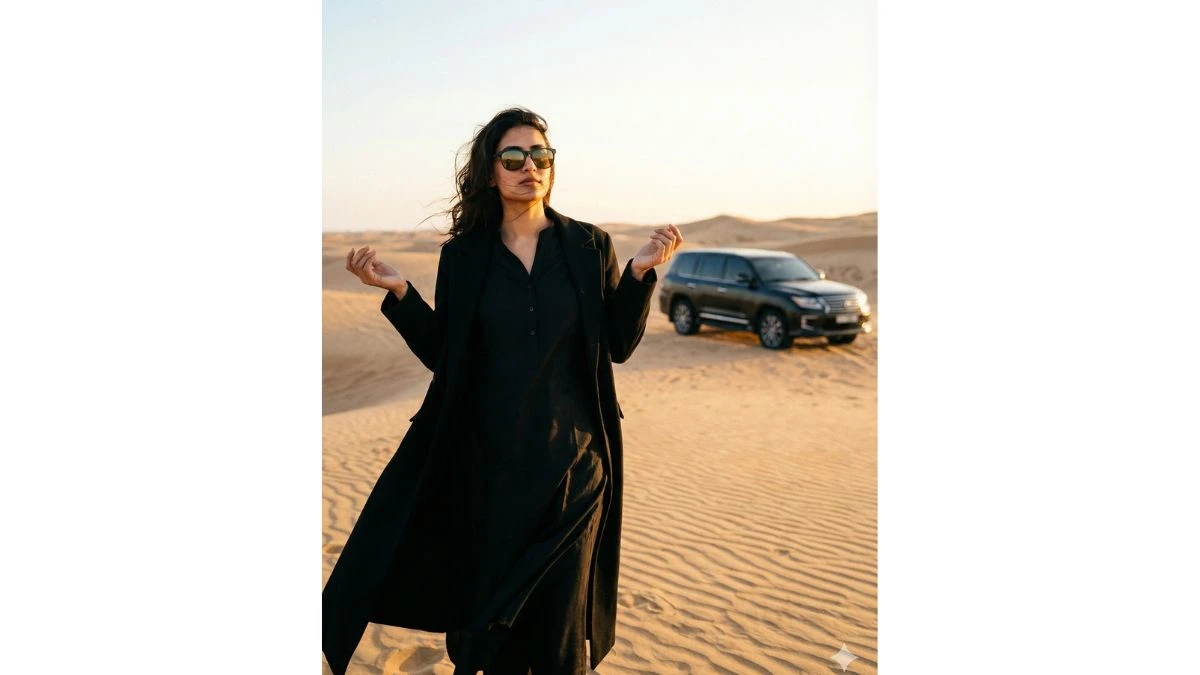
A stylish woman standing in a vast desert landscape, wearing an all-black outfit - a black kurta-style dress paired with a long flowing black coat. She is posing with her hands slightly open in a casual what can I say? gesture. Soft wind gently blowing her outfit and hair. Desert sand dunes in the background with a luxury SUV parked behind her. Cinematic lighting with warm golden tones, shallow depth of field, realistic highlights on her sunglasses reflecting the light. Ultra-detailed textures, dramatic film-grade color grading, minimal grain, extremely realistic skin tones. Hyper-realistic 4K quality, sharp details, naturashadows, professional fashion editorial look. Final output image ratio: 4:5."
Image Credit: Gemini AI
Prompt 6:
Use This:
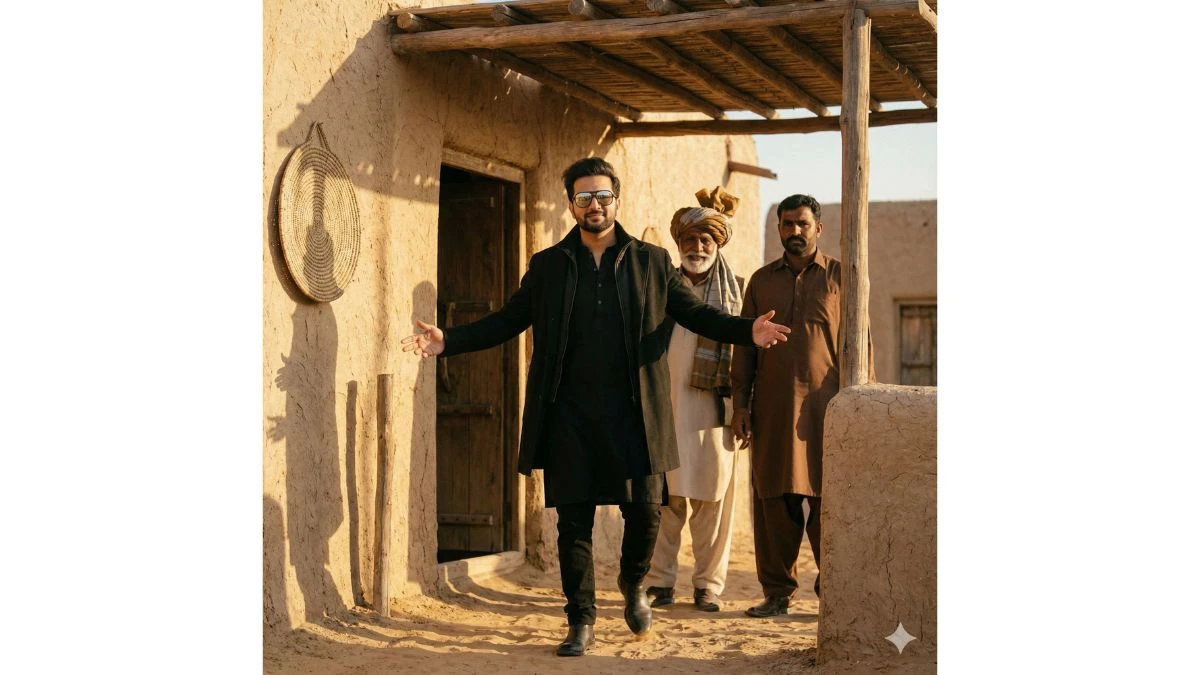
Ultra realistic, cinematic full-body portrait of the same young man from the reference photo (same hairstyle, sharp eyebrows, trimmed beard, and confident facial expression)." Create a high-quality cinematic scene set in a rustic desert village made of mud-brick walls. The main subject is a stylish man stepping out confidently from a wooden shaded doorway. He is wearing a full black outfit - a long black coat, black kurta-style inner clothing, and dark sunglasses. His body posture shows swag and attitude. With both arms extended outward as he walks forward. Behind him, two men dressed in traditional ethnic attire follow him. One man has a large turban and a white brard, smiling proudly, while the other wears a brown outfit and stands seriously. The lighting is warm and desert-like, with sunlight filtering through the wooden roof, casting dramatic shadows on the ground and walls. On the left side, a woven circular basket hangs on the mud wall.
Image Credit: Gemini AI
Prompt 7:
Use This:
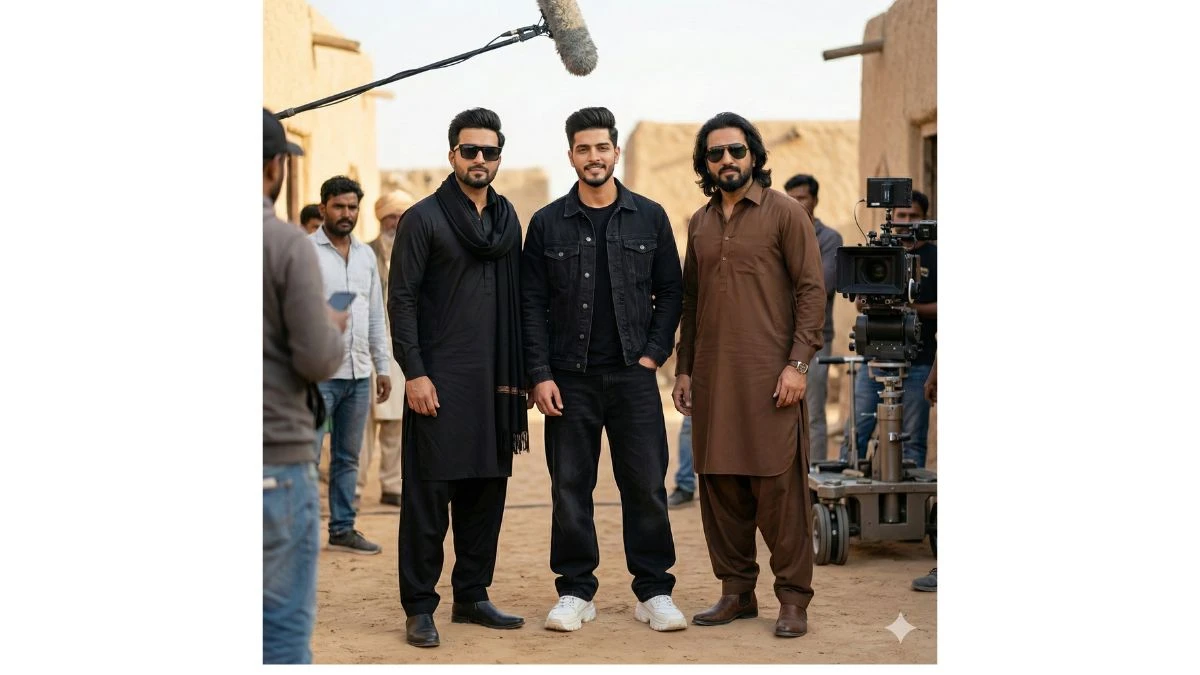
Hyper realistic 8k resolution, natural photo. A real behind-the-scenes film shoot photo from the movie "Dhurandhar", outdoor location, daylight, natural cinematic lighting, shallow depth of field, realistic shadows, Three people standing together naturally. Center - Me: Face exactly same as my reference photo Outfit: black denim jacket, black t-shirt, black baggy jeans, chunky white sneakors. Slight smile, relaxed natural pose.Left side Actor 1: Face exactly same as reference image. Same hairstyle as reference. Outfit: black kurta, black pajama, black stole/scarf, black outer layer. Black rectangular sunglasses. Right side - Actor 2: Face exactly same as reference imago. Same long hairstyle and same beard as reference. Outfit: brown traditional kurta and brown salwar. Brown boots. Black aviator sunglasses. All outfits, hairstyles and sunglasses must be exactly thesamo as referenco images. all faces match refrences images
Image Credit: Gemini AI
How to Create Images in Gemini AI?
Access Gemini AI:
First, sign in to the platform or app that provides Gemini AI or any similar image generation tools.
You can use it directly from its interface or via integrated systems that allow image generation using specific prompts.
Write a Detailed Prompt:
To generate an image, you'll need to craft a text prompt that describes what you want the AI to generate.
For example, if you want an image of a character resembling "Rehman Dakait" (a famous figure, perhaps known for a specific appearance or persona), you can write a detailed description of what this character looks like.
The prompt should be specific and descriptive for the best results.
Example Prompt for Rehman Dakait look:
"Create an image of a character resembling Rehman Dakait with a rugged street-smart appearance, wearing a leather jacket, with a strong presence. The face should have a fierce expression, dark hair, and a bit of facial stubble."
Choose Image Settings:
Depending on the platform, you may have options to select the image resolution, the style (realistic, artistic, etc.), or even the color scheme.
Set these according to your preferences, but for the highest quality results, go for higher resolution if your platform allows.
Generate the Image:
Once the prompt is written and settings are configured, simply click Generate or Create Image to let the AI work its magic. It may take a few seconds to minutes depending on the complexity of your request.
Refine and Edit:
After the AI generates the image, you can review it. If it’s close to your vision, you might want to make minor adjustments. Many AI tools allow further editing or generating new variations of the same image.
Download and Save:
Once satisfied with the result, you can save and download the image for your project.