
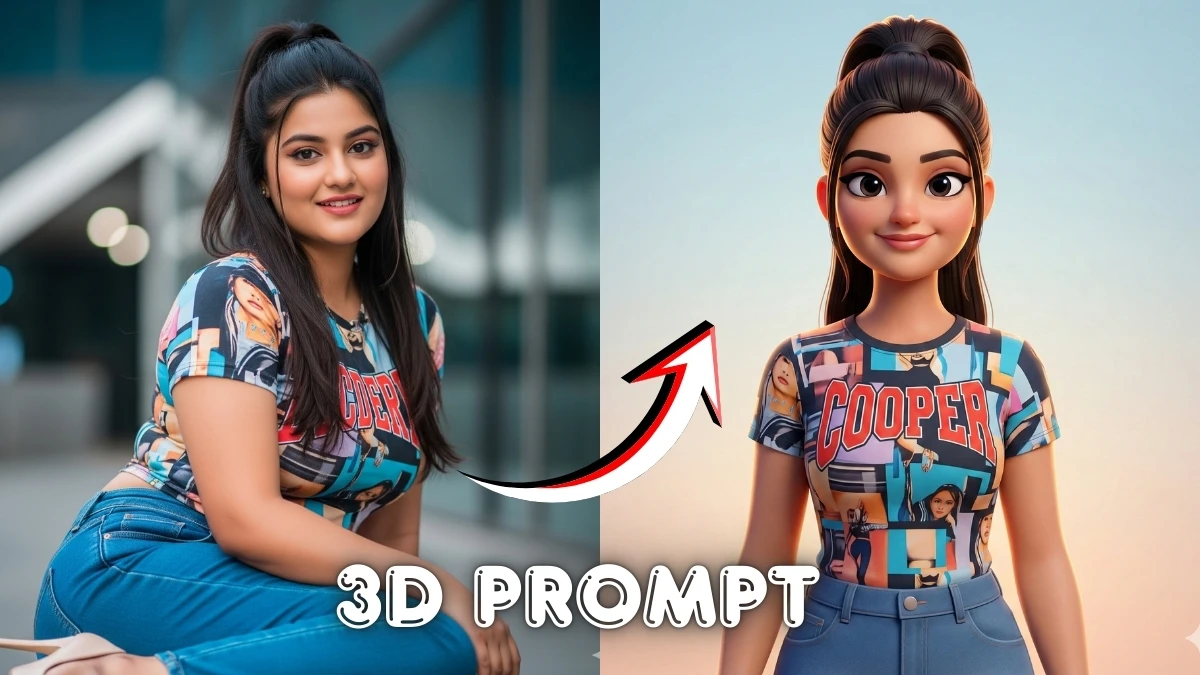

Turn Your Selfie into a 3D Figurine: Viral Gemini AI Prompt Takes Over Social Media
Turn Your Image Into a 3D Character Using This Viral Gemini AI Prompt is all about transforming a normal selfie into a toy‑like 3D figurine in seconds using Google’s Nano Banana model in Gemini.
With one detailed prompt, Gemini wraps your face in glossy plastic textures, adds shadows and depth, and places your mini‑character inside realistic action‑figure style scenes that look ready for Instagram, Reels, or even merch mockups.
This article will show how this viral 3D figure trend works, share the exact type of prompt people are using, and help you turn any photo into a fun, collectible‑style 3D character without needing 3D software or design skills.
Simple steps to create the 3D character image
- Open Google Gemini in your browser/app, choose Create image, and select the Nano Banana (or 2.5 Flash / Nano Banana Pro) image model.
- Upload a clear photo of yourself (headshot or full body) with good lighting and a simple background.
- In the prompt box, paste or type a detailed prompt like: “Create a 1/7 scale commercial 3D figurine of the person in the photo, glossy plastic texture, standing on a display base, studio lighting, realistic shadows, toy‑box style background, keep the same face.”
- Click Generate and wait for Gemini to turn your image into a 3D character figure.
- If needed, tweak the prompt (pose, outfit, background, style) and regenerate until you get the perfect 3D look, then download and share on social media.
Join This Channel for Trending AI Image Prompts - CLICK HERE
Turn Your Image Into a 3D Character Using This Viral Gemini AI Prompt
Prompt:
- Step 1: Upload the reference image in Gemini
- Step 2: Copy and paste the prompt
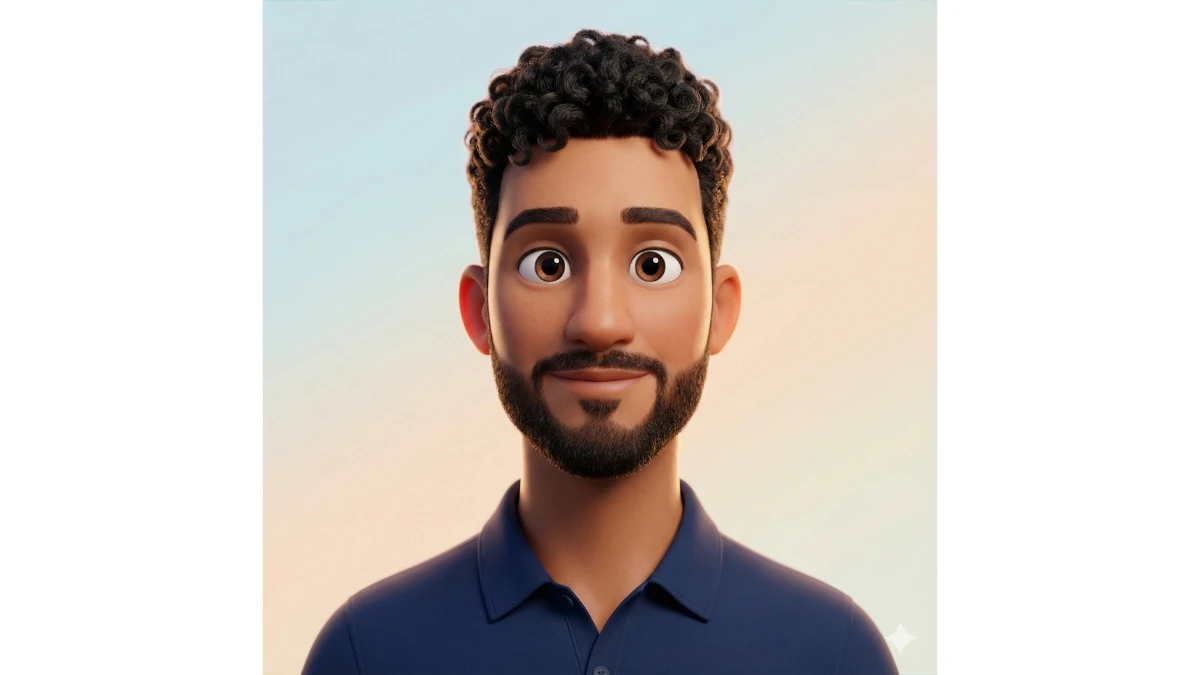
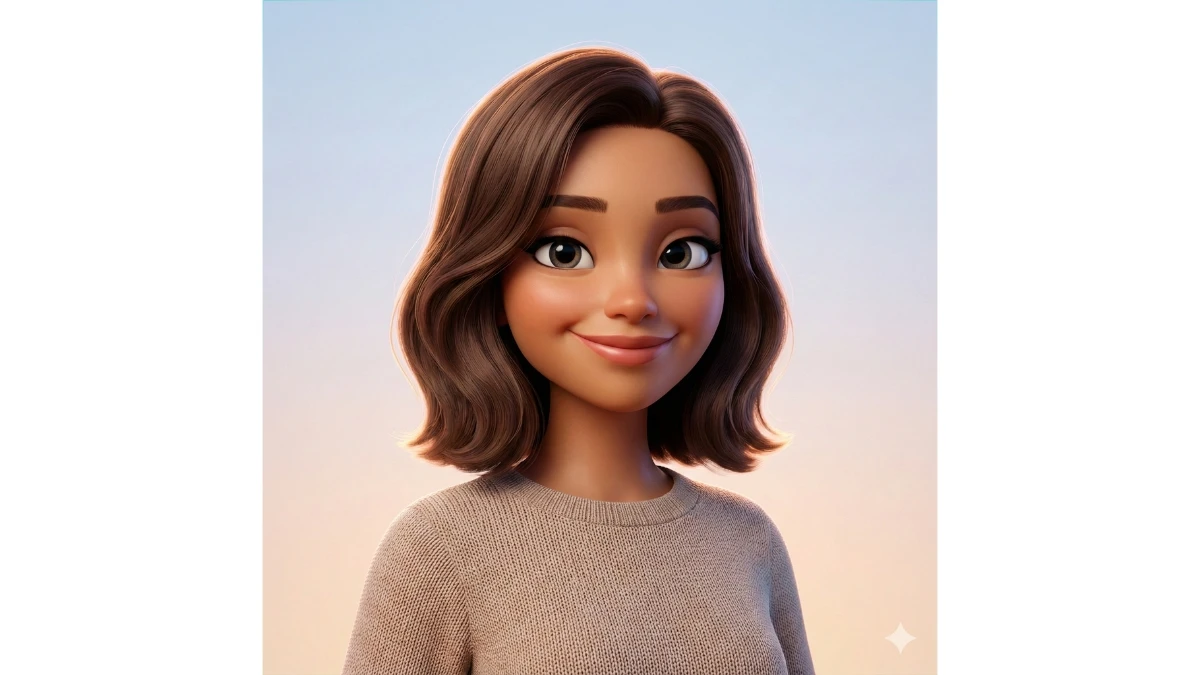
"Convert the uploaded photo into a high-quality 3D animated character.
Style it like a Pixar / Disney / Apple Memoji / MetaHuman-inspired 3D render with smooth skin, clean geometry, and slightly exaggerated expressive eyes while keeping the person clearly recognizable.
Preserve the same face shape, hairstyle, beard, skin tone, and facial expression from the original image.
Use soft cinematic lighting, gentle rim light, and a clean pastel gradient background (light blue and warm tones).
Make the character look friendly, polished, and modern with realistic shading, smooth textures, and high-end 3D depth.
Camera: front-facing portrait, centered composition, shallow depth of field.
Render quality: ultra-sharp, 4K, professional 3D avatar, social-media ready."
Prompt Result:
10 Viral Retro AI Photo Prompts - Try Now!
Image Credits: Google Gemini AI


















































