
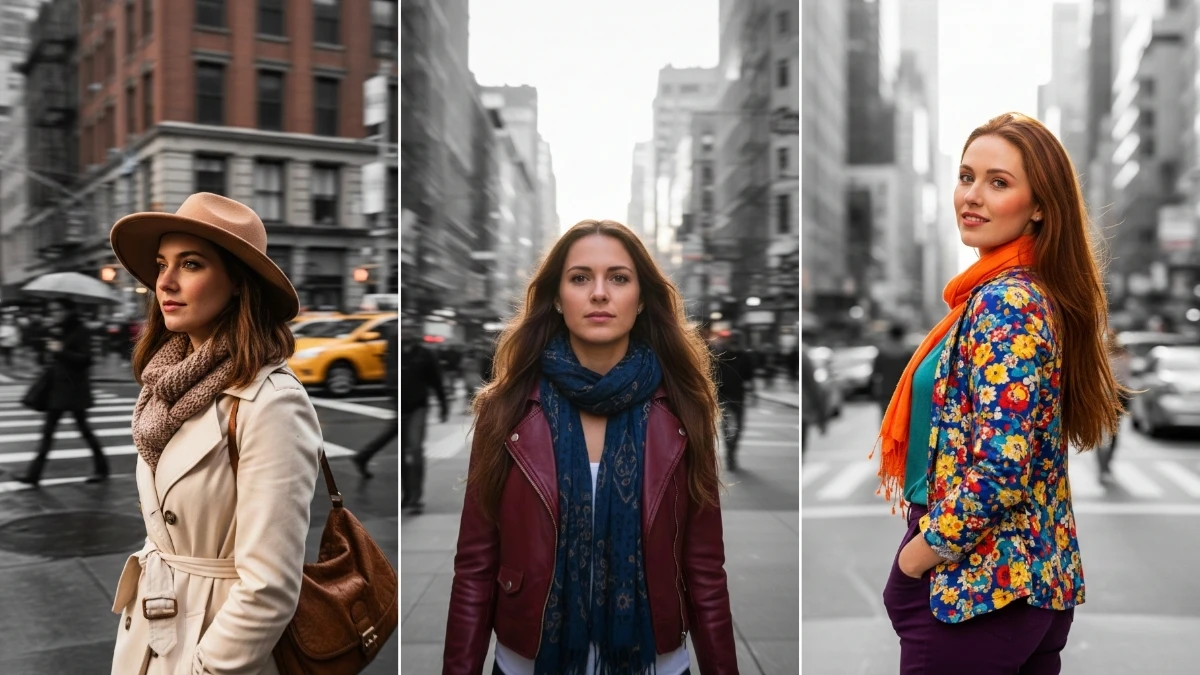

Urban Aesthetic Boom: 8 Gemini AI Color-Pop Street Portrait Prompts Every Creator is Using Now
“8 Viral Google Gemini AI Photo Editing Prompts to Create Ultra-Aesthetic Color-Pop Motion Blur Street Portraits” is all about turning normal city photos and casual street selfies into dynamic, high‑energy portraits that look like they were shot on a pro camera during a fashion campaign.
These edits combine three hot trends in one: bold color‑pop grading, cinematic street lighting, and motion‑blur effects that make it feel like the world is moving around a crisp, stylish subject.
With just a simple selfie or full‑body street shot and the right prompt, Gemini can add neon glows, light trails, and blurred crowds while keeping the main person sharp and aesthetic.
This article focuses on 8 copy‑paste prompt ideas designed specifically for viral social media content, perfect for Instagram reels covers, streetwear posts, YouTube thumbnails, or edgy profile photos.
Each prompt is built to emphasise contrast between a sharply focused subject and a blurred, colorful background, so every edit looks dynamic, modern, and ready for the explore page.
Readers will learn how to describe motion, lighting, and color in simple words so Gemini knows exactly how to create that “running through the city,” “subway streak,” or “raining neon” effect without needing any manual Photoshop skills.
Simple steps: how to create the image
Open Gemini
- Open Google Gemini on the web or mobile and go to the image/photo editing section.
Upload your base photo
- Choose a clear street selfie or portrait where you are visible from at least chest‑up, with decent lighting and minimal blur on your face.
Paste your color‑pop motion blur prompt
- Paste one of your “color‑pop motion blur street portrait” prompts and add a line like: “Keep my face and body sharp, add motion blur to the background, vibrant color‑pop street lights, ultra‑aesthetic style.”
Refine scene details
- Mention time (night city, golden hour, rainy evening), location (street, crosswalk, metro, market), and colors (neon blue, pink, orange glow) if you want a specific look.
Generate and download
- Click generate, review all versions, pick the cleanest and most dynamic result, and download it in high resolution for posting.
Tips and tricks for viral color‑pop motion blur portraits
Choose the right base photo
- Use a steady, sharp original image where your face and main pose are clear; let AI handle the motion in the background, not on your face.
- Simple outfits with one or two strong colors (black + red, white + blue, etc.) work best for color‑pop edits.
Write stronger motion + color prompts
- Always separate subject and background in words: “subject sharp and in focus, background with motion blur, light trails, and moving people.”
- Add color language like “neon color‑pop,” “high contrast,” “deep shadows with bright highlights,” or “cinematic teal and orange street lights.”
Control intensity and realism
- If the first result looks too messy, reduce complexity: remove extra elements and keep it to “subtle motion blur, clean street, soft light trails.”
- Include phrases like “realistic skin tones, no over‑smoothing, natural facial details” to avoid plastic or fake‑looking portraits.
Make it social‑media ready
- Use vertical 4:5 or 9:16 crops so the subject fills most of the frame, leaving a bit of headroom for text or captions.
- For a cohesive feed, reuse similar color palettes (all neon nights, or all warm golden streets) across several motion‑blur edits using related prompts.
Join This Channel for Trending AI Image Prompts - CLICK HERE
Viral Google Gemini AI Photo Editing Prompts to Create Ultra-Aesthetic Color-Pop Motion Blur Street Portraits
Prompt 1:
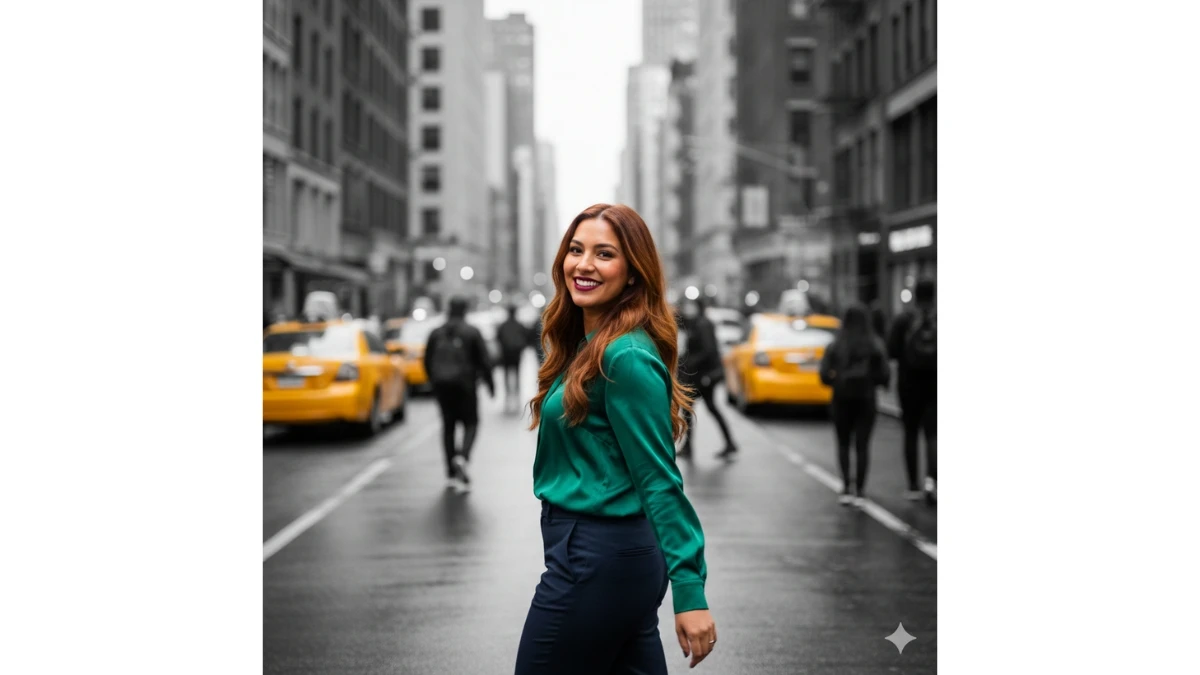
Use This:
"A beautiful late 20s woman walking on a busy city street, semi-side profile with her head slightly turned towards the camera, motion blur effect, focus on her face and upper body, urban background in black and white, only the woman is colourful, realistic style."
Prompt 2:
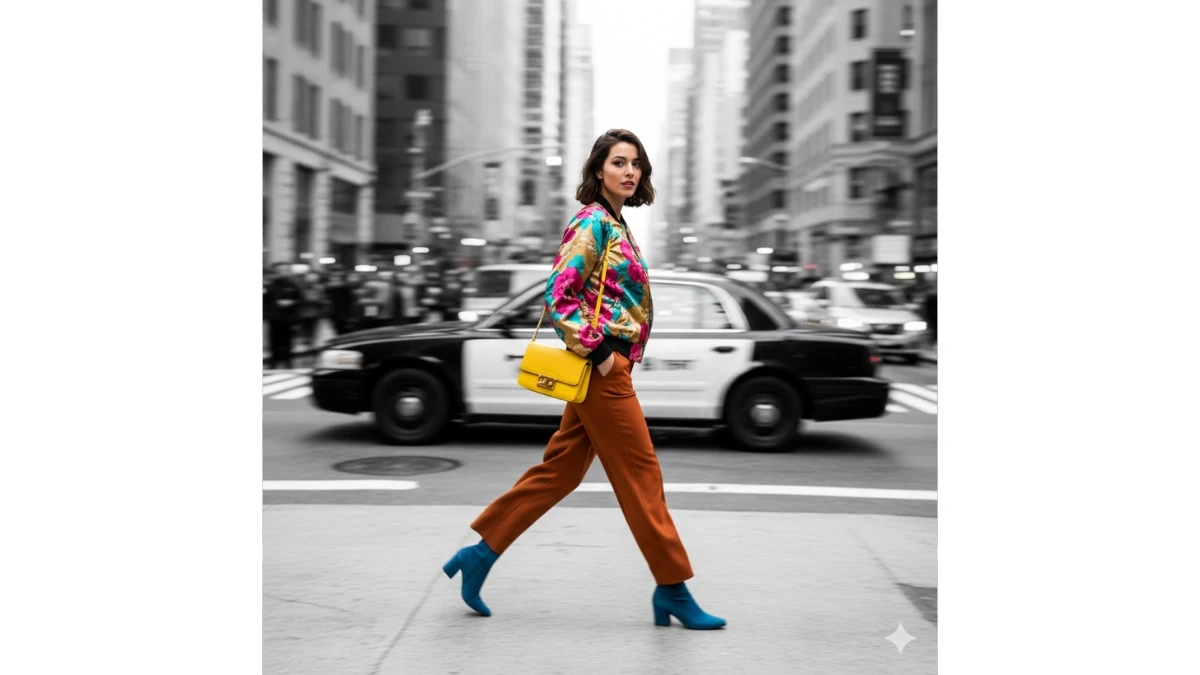
Use This:
"A stylish young woman in her late 20s walking briskly down a busy city street, captured in a semi-side profile. Her head is slightly turned towards the camera, her face and upper body in sharp focus while the rest of the scene is immersed in a dynamic motion blur. The city backdrop in black and white contrasts with her vibrant, colorful clothing, creating an ultra-aesthetic, color-pop effect. A perfect mix of realism and movement."
15 Gemini AI Vintage Photo Editing Prompts: Timeless Elegance & AI Magic - Try Now!
Prompt 3:
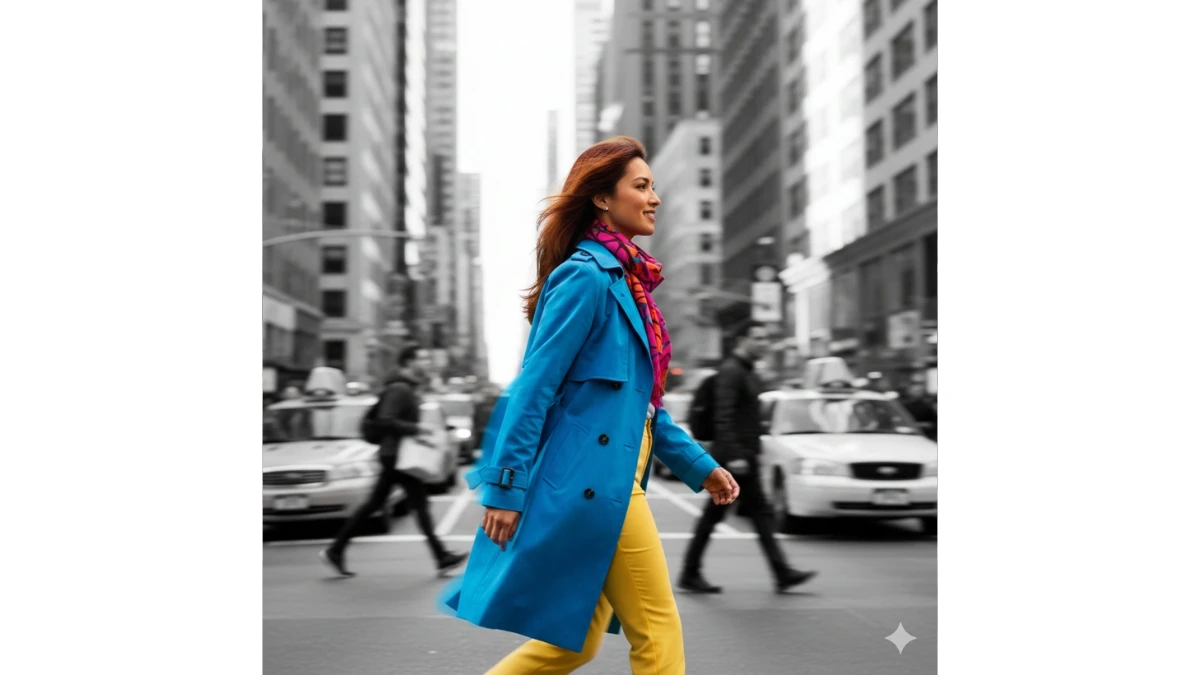
Use This:
"An energetic late 20s woman, caught in motion while strolling down an urban street, semi-side profile to the camera. The background is a busy cityscape in black and white, but her presence pops with vivid color. The motion blur effect adds an artistic touch, focusing on her face and upper body to create a stylish, ultra-aesthetic portrait."
Prompt 4:
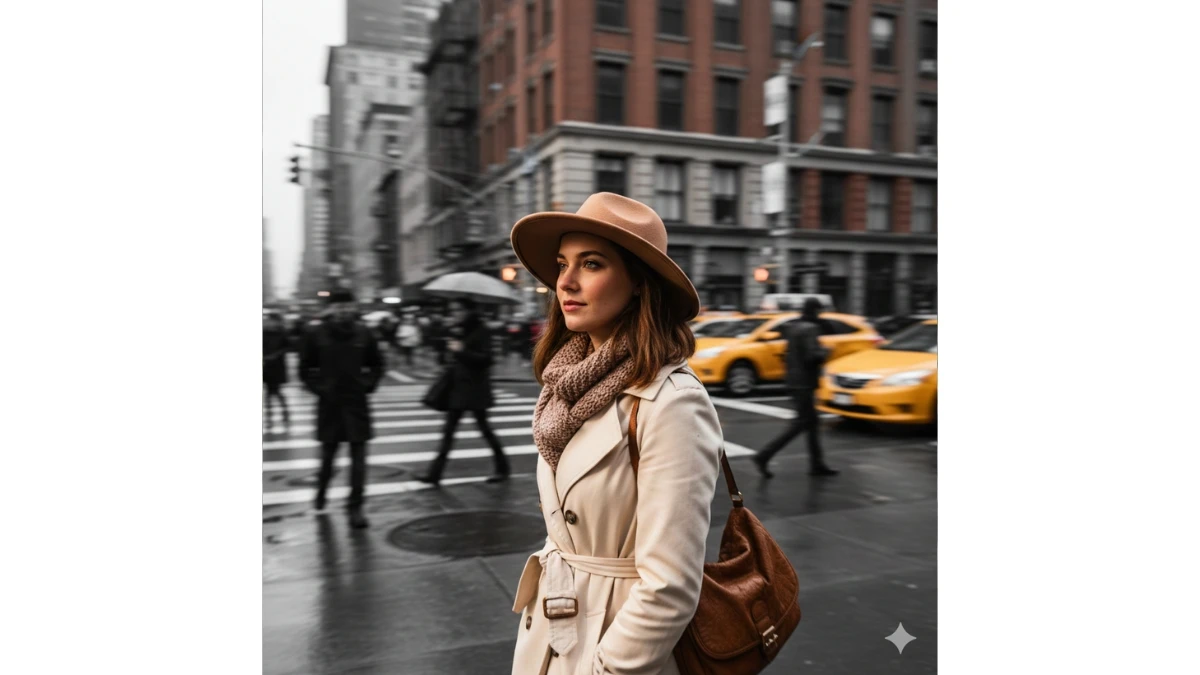
Use This:
"A beautiful young woman in her late 20s walks through a bustling city street, her head slightly turned to catch the light. Using motion blur for a dynamic feel, only the woman’s face and upper body remain in full color while the urban environment fades to grayscale. This stunning color-pop portrait blends street fashion and motion seamlessly."
MUST TRY - Optical Illusion IQ Test: Spot the Inverted 37 in 7 Seconds
Prompt 5:
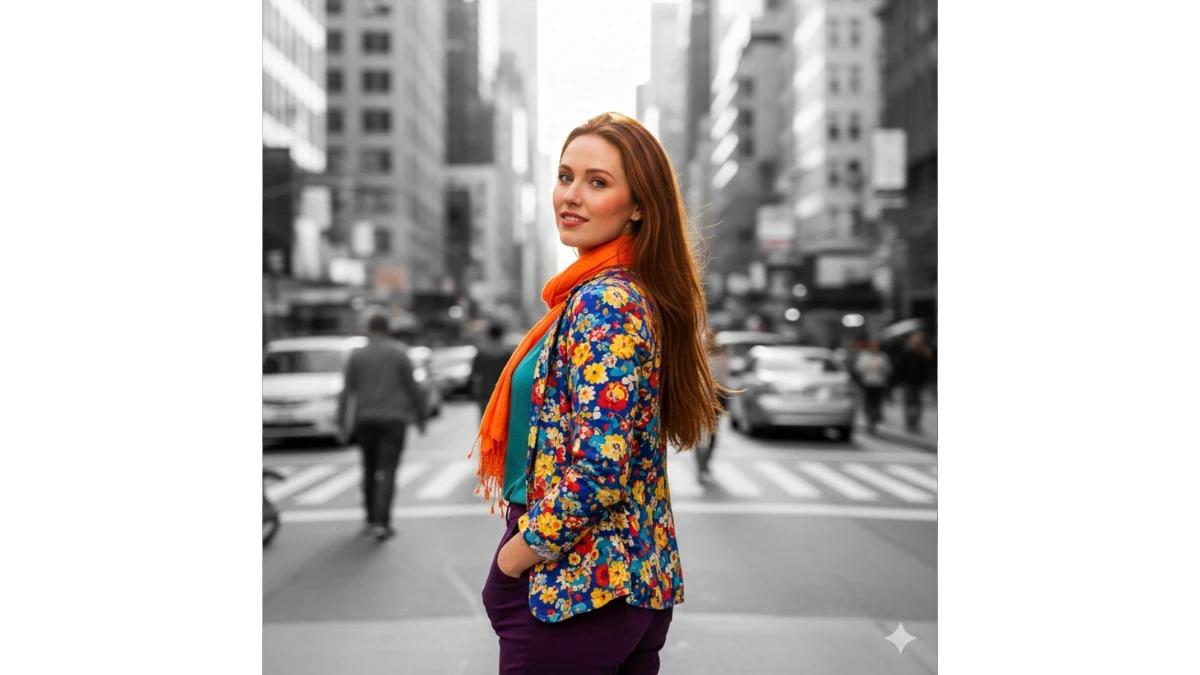
Use This:
"A captivating portrait of a woman in her late 20s walking in a crowded city, semi-profiled with her gaze slightly turned towards the camera. The background is a black-and-white blur of busy urban life, yet her face and clothing burst with vibrant color. The motion blur effect creates an energetic and aesthetic color-pop composition."
Prompt 6:
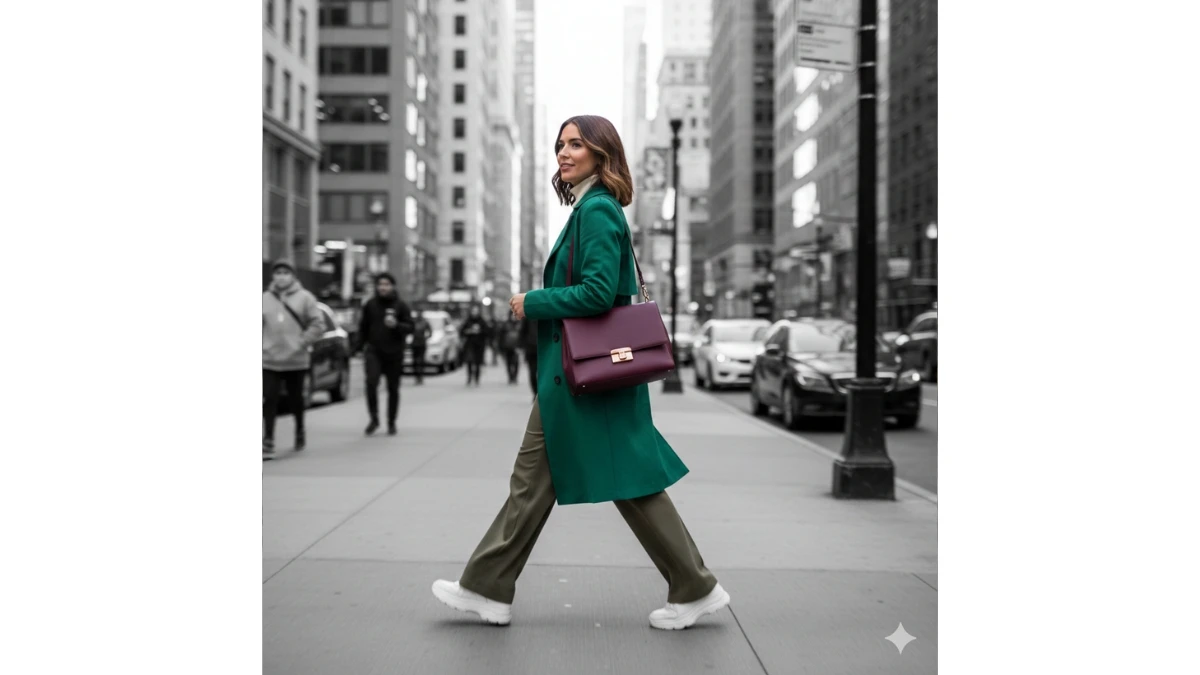
Use This:
"A fashionable woman in her late 20s strolling along a busy city sidewalk, semi-side profile with motion blur surrounding her. Her face and upper body are sharply focused in vivid colors, while the city backdrop fades into grayscale, creating an ultra-aesthetic, color-pop effect that captures urban life with a touch of realism."
Free vs Paid AI Tools: Which One Fits Your Needs? - Try Now!
Prompt 7:
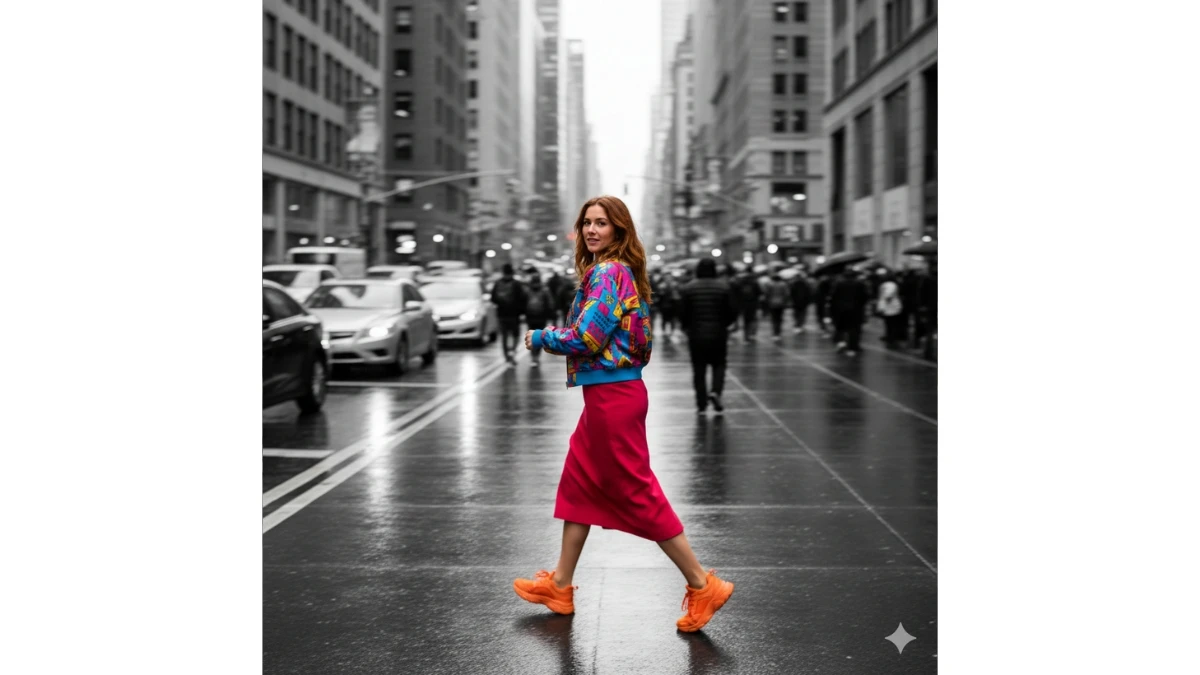
Use This:
"A late 20s woman caught in motion walking through a busy city street, her head slightly turned to face the camera. The dynamic motion blur highlights the fast-paced life around her, while the urban backdrop remains black and white, making her vibrant clothing and face stand out in stunning color-pop."
Prompt 8:
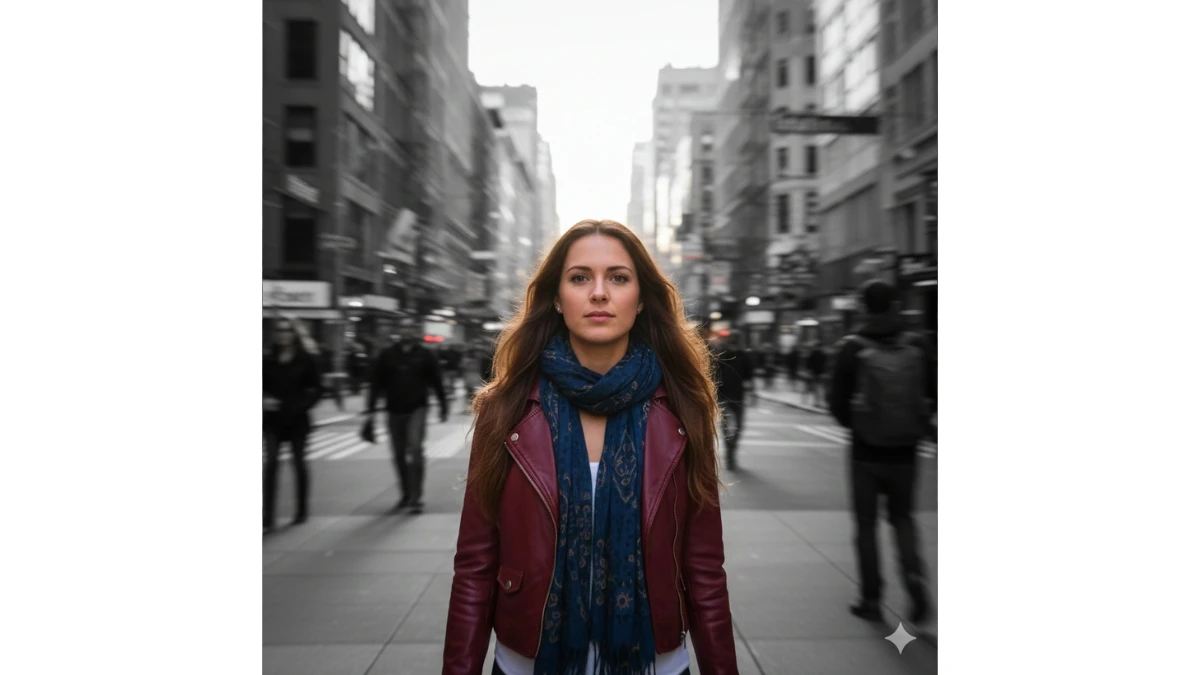
Use This:
"A young woman in her late 20s, captured mid-stride in a bustling urban street, with motion blur creating a sense of fast-paced energy. The city backdrop is in grayscale, but her face and upper body are brought to life in full color. This color-pop portrait captures both the dynamic movement and calm focus of her presence."
MUST TRY - Optical Illusion: Spot the Number 64 in 9 Seconds
Image Credits: Google Gemini AI


















































