
Overwatch Error BN‑564
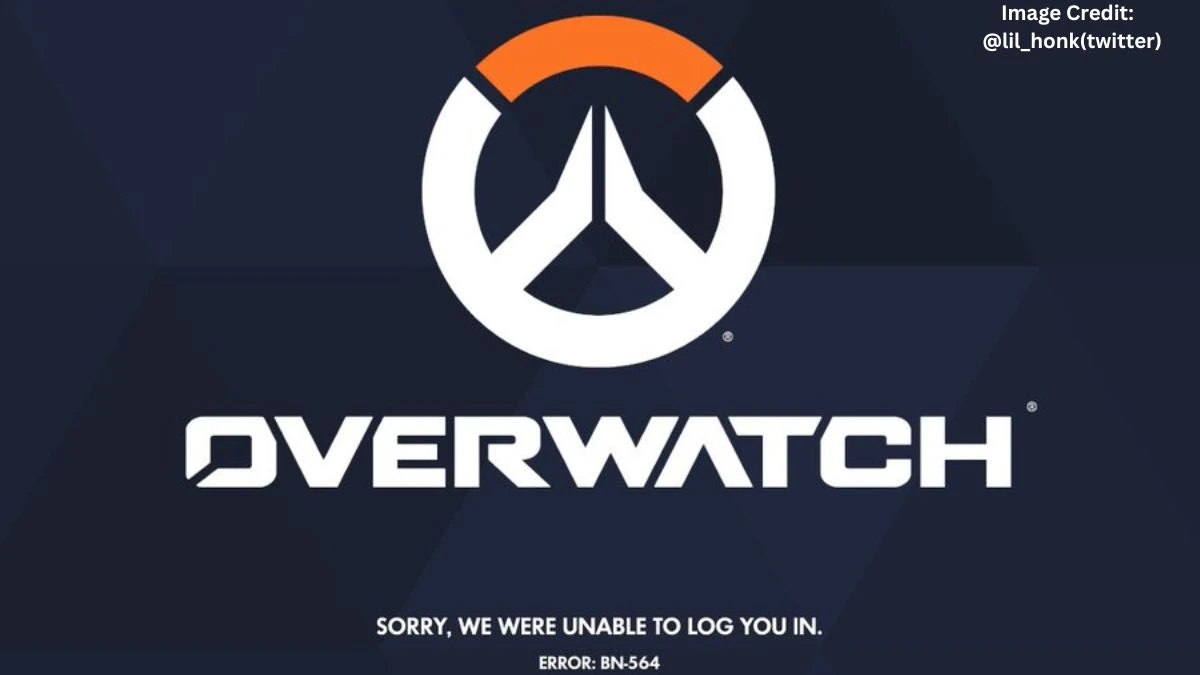
Overwatch error BN‑564 is a login error that usually means the game client cannot connect properly to Blizzard’s servers, often after a queue or when using Steam. Players see the message “Sorry, we were unable to log you in. Please try again later. Error Code: BN‑564,” and then get kicked out after waiting through hundreds of people in queue, which feels extra painful.
Recently, several players have been venting about this on social platforms. One user, @LilHonkTV, shared on X that they “keep getting this error” even after re‑entering the long queue multiple times, which pretty much sums up the frustration of watching that number tick down just to get brick‑walled at BN‑564.
Another, @shinypokemon48 (Bryan Castillo), mentioned being stuck behind error messages in Overwatch after clearing a 300‑player queue, showing it is not an isolated fluke but a shared pain across the community.
And @poisonivezz pointed out that Overwatch “doesn’t let you on if you play through Steam and you can’t fix it at all,” echoing what a lot of Steam users are saying on Reddit threads.
On Blizzard’s side, support pages confirm that BN‑564 commonly appears when servers are down for maintenance or when there are account‑link problems between Battle.net and console/PC platforms. In newer forum posts, staff have also acknowledged drops affecting Steam users in particular, which lines up with what those tweets describe.
Reddit user BanditChesington shared on r/Overwatch that they are encountering Error Code BN564, where the game fails to log in after the queue reaches zero, and asked if others are experiencing the same issue.
How to Fix Overwatch error BN‑564?
The most reliable way to fix Overwatch error BN‑564 is to first check whether Blizzard’s servers are having issues, then try simple connection resets, and only after that mess with account links or reinstall paths. It is a mix of “be patient, the servers are on fire” and “make sure the local setup is not making things worse.”
Practical steps, based on Blizzard support, Reddit, and community fixes:
Check server status and maintenance
-
Look at BlizzardCS on X/Twitter or the Battle.net launcher banner for maintenance or outage notices.
-
If there is a known outage, BN‑564 usually clears once servers are stable again; no local fix will override that.
Restart game, PC, and router
-
Fully close Overwatch 2 and restart the system; several Steam users on forums and Reddit reported that a simple PC restart got them back in.
-
Reboot the router by unplugging it for a minute, then plugging it back in; many players say the BN‑564 error vanished after this network refresh.
Verify account links (especially Steam, console)
-
Log into Battle.net in a browser, go to Security & Privacy → Connected Accounts, and confirm Steam/console is linked correctly.
-
If Blizzard status says no maintenance and the error persists, try unlinking and relinking the platform account following the Battle.net instructions (but note that Steam relinking can have cooldowns, so this is more of a last resort).
Check for updates and file issues
-
Make sure Overwatch 2 and Battle.net are fully updated, then restart before logging in again.
-
Some Steam users have reported that installing or launching the game once through Battle.net, then opening via Steam, helped them bypass persistent BN‑564 loops.
If none of these work and there is no active outage, Blizzard recommends opening a support ticket with logs so the team can check for account‑specific flags or bans that might be hiding behind the generic BN‑564 message.
For now, the pattern around BN‑564 is clear: when error BN‑564 hits during Overwatch queues especially on Steam it is usually a combination of server instability and account‑connection quirks, and most players get back in after a mix of patience, restarts, and, occasionally, a full account connection refresh.
Disclaimer
Information about Overwatch error BN‑564 can change as Blizzard updates servers, account systems, or support policies. The FAQs below are for general guidance only. Players should always verify current status and official instructions via Blizzard support pages, in‑game notifications, or the Battle.net launcher before trying more advanced troubleshooting steps.