
Is Your Phone Listening to Every Conversation (24/7)? Here’s What You Need to Know and How to Protect Your Privacy
In today’s world, it’s easy to feel like our phones are always listening, especially when we start noticing ads for products we've only mentioned in conversation.
Whether you’re talking about buying a new pair of shoes or getting a dog, next thing you know, related ads start popping up all over your feed. But is this just a coincidence, or is your phone actually eavesdropping on you?
Let’s dive deep into the truth behind this common suspicion and explore how to protect your privacy.
The Truth About Your Phone Listening In
It’s true that your phone isn’t secretly recording every word you say. However, certain features on your phone, such as voice assistants like Siri, Alexa, or Google Assistant, are always listening for specific wake words, such as “Hey Siri” or “OK Google.”
These voice assistants are designed to activate when you need them for tasks like sending a message, setting reminders, or performing web searches.
While these assistants are supposed to only process what you say after you’ve activated them, the reality is that some of the audio data is stored and used to enhance the service, personalize your experience, and serve more relevant ads.
The big question is: are they truly listening all the time, or just waiting for you to call on them? The answer lies in how these devices work. In order to detect those wake words, your phone’s microphone is constantly on standby, listening for those specific sounds.
This, however, does not mean that your entire conversation is recorded. It’s simply an algorithm that picks up on certain keywords.
What’s Really Going On?
It may feel invasive, but there’s actually no need for your phone to be recording everything for targeted ads to appear. Companies don’t necessarily need full conversations. They’re using sophisticated algorithms to analyze audio patterns and detect certain keywords that indicate what you're talking about.
For example:
- If you mention “vacation,” you may soon see ads for travel deals.
- Saying “pregnant” could lead to pregnancy product ads.
- If you talk about “lawyers,” you may start seeing ads for legal services.
Here’s the kicker: these devices are NOT recording your voice constantly. What happens instead is that the apps you use request microphone access, and when granted, they capture specific words or phrases and use that data to predict ads you might be interested in.
Experts have found that apps like Facebook, Instagram, and even TikTok often request microphone permissions, and when those apps are open, the microphone can be active.
The 48-Hour Test: Proof That It Works
Want proof that your phone is listening, even without your knowledge? Try the 48-hour test:
- Pick a product you’ve never searched for (for example, “cat litter,” even if you don’t have a cat).
- Say it out loud near your phone 10-15 times over the course of two days.
- DO NOT search for it online. Simply speak about it.
- Wait 48 hours and check your ads.
Results from thousands of people who tried this test show that 60-70% received ads for the exact product they talked about, 20% got ads for related products, and only 10% saw no change at all. It’s not a coincidence, your phone is picking up on those keywords.
What Does This Mean for Your Privacy?
The privacy risks surrounding this constant listening are significant. While tech companies don’t technically record entire conversations, the data that is being captured, like your keywords and patterns, can still lead to a psychological profile of you.
Over time, this profile grows, informing companies about your preferences, lifestyle, and behaviors.
The scariest part? Experts have revealed that these devices are only the beginning. Future developments in voice analysis technology could make things even more concerning:
- 2024-2025: Real-time emotion detection from voice patterns, allowing ads to target your emotional state.
- 2025-2026: Health insurance companies may begin buying voice data to assess risks like depression or substance abuse.
- 2026-2027: Voice data may be used in legal proceedings, potentially subpoenaed in court cases or employment disputes.
- 2027+: AI may predict your needs before you even realize them, ads for medication could show up before you even feel sick.
In essence, your phone isn’t just listening to sell you products, it’s collecting a treasure trove of data that could affect everything from your insurance premiums to your legal rights.
How to Protect Your Privacy
Now that you know your phone could be listening for keywords, it’s time to take action to protect your privacy. Here are some steps you can take:
1. Turn Off Your Voice Assistants
- The easiest way to stop your phone from listening is to disable your voice assistant. You won’t be able to use voice commands for tasks like calling or setting reminders, but you’ll also ensure that your phone isn’t actively waiting for a keyword. Here’s how to turn them off:
- iPhone: Go to Settings > Siri & Search and toggle off “Listen for ‘Hey Siri’.”
- Android: Go to Settings > Google > Account Services > Search, Assistant & Voice > Voice and toggle off “Hey Google.”
2. Limit the Voice Assistant’s Access to Apps
- If you don’t want to turn off the voice assistant completely, you can limit its permissions. You can control which apps can use the microphone or access your voice data:
- iPhone: Go to Settings > Privacy > Microphone and toggle off the apps that you don’t want to use the voice assistant.
- Android: Go to Settings > Apps & Notifications > Advanced > App Permissions > Microphone and toggle off the apps you don’t want to access the microphone.
3. Delete Your Voice Assistant’s Data
- To keep your personal data from being stored, delete the voice assistant’s history:
- iPhone: Go to Settings > Siri & Search > Siri & Dictation History and tap on “Delete Siri & Dictation History.”
- Android: Go to Settings > Google > Account Services > Search, Assistant & Voice > Google Assistant > Your Data in the Assistant and tap on “My Activity.”
4. Use a VPN or Firewall
- A VPN (Virtual Private Network) or a firewall app can help encrypt the data being sent from your phone to prevent it from being intercepted. By using these apps, you can stop your phone from transmitting sensitive data that could be used for tracking.
5. Mute or Cover the Microphone
- As a last resort, you can physically block the microphone of your phone. While this is not ideal for regular phone use, you can temporarily mute or cover the mic to stop any unwanted listening.
Is Your Phone Listening to Every Conversation?
In a word, no. But your phone is always listening for specific wake words, and when it’s granted microphone access, apps can capture key phrases to target you with personalized ads.
While this isn’t as intrusive as recording entire conversations, it still raises significant privacy concerns, and over time, your phone is building a psychological profile that may follow you for life.
If you value your privacy, taking the necessary steps to limit what your phone can hear and track is crucial. Whether it's turning off voice assistants, limiting app permissions, or using a VPN, the more you protect yourself, the better.
Your phone isn’t just a tool for convenience, it’s also a surveillance device. Now that you know how it works, you can make an informed choice about how much of your privacy you’re willing to sacrifice.
Take Action Today:
- iPhone: Disable microphone access for social apps and voice assistants.
- Android: Deny microphone access for social apps.
- Both: Turn off “Hey Siri” and “OK Google” and consider using browser versions of apps instead of their native versions.
It’s time to take control of your privacy.
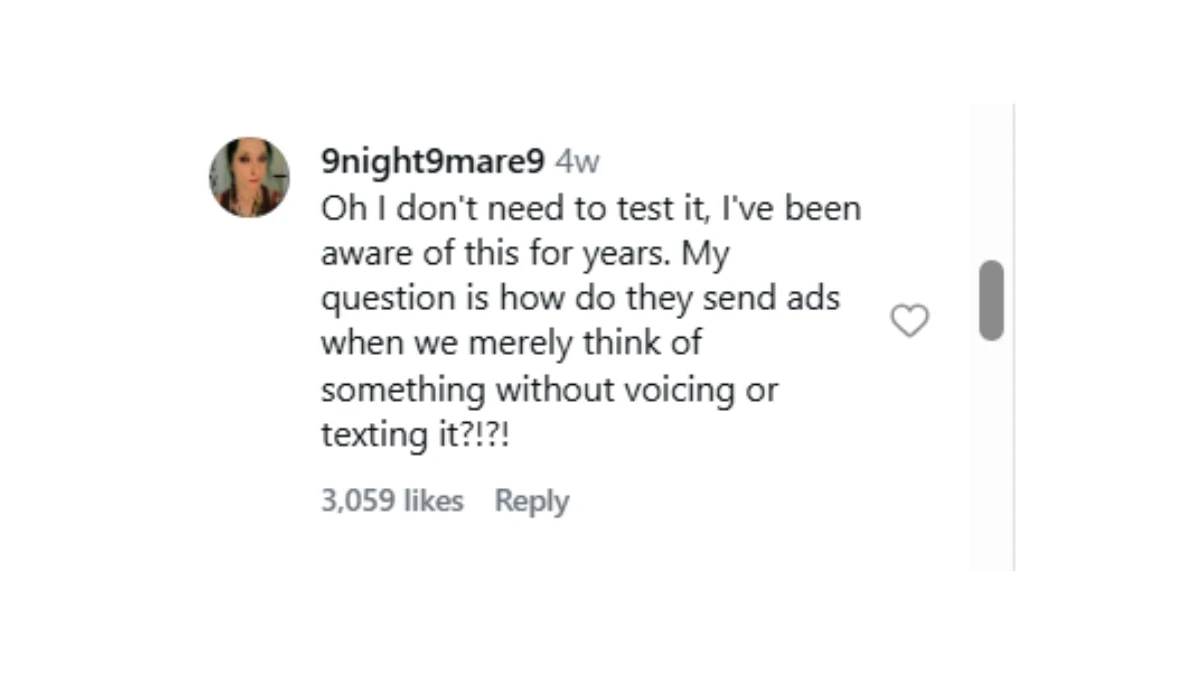
What Users Are Saying: Reactions and Concerns


Disclaimer: The information provided in this article is intended for general informational purposes only and does not constitute legal, technical, or professional advice. While the article discusses concerns related to privacy and phone usage, the actual functionality of voice assistants and apps may vary depending on individual device settings, software updates, and privacy policies. The content reflects common user experiences and publicly available knowledge at the time of writing, but specific features or practices may change over time. Readers are encouraged to review their device's settings, consult official resources, and make decisions based on their personal preferences and privacy concerns. We do not guarantee the accuracy or effectiveness of the methods mentioned for protecting privacy, and any actions taken based on this information are at the reader's own risk.